







Image Loading
Espera em matriz de pontos e revelação ao gerar imagens com IA
Troque o spinner monótono ao gerar imagens por nove matrizes de pontos procedurais que respiram e nove revelações com refração de borda, dispersão cromática e ajustes ao vivo.
Gerar uma imagem com IA costuma levar vários segundos ou até mais. Deixar apenas um ícone girando no centro de um quadro vazio faz a espera parecer longa e monótona; exibir a imagem pronta de sopetão no final cria um corte seco demais. Vale tratar a espera e a chegada da imagem como uma única experiência contínua — enquanto a imagem é gerada, uma matriz de pontos respira guiada por funções matemáticas sob uma linha de status percorrida por um brilho suave; assim que fica pronta, a imagem se revela diretamente por entre os pontos e assenta no lugar com naturalidade.
A espera: uma matriz de pontos que respira
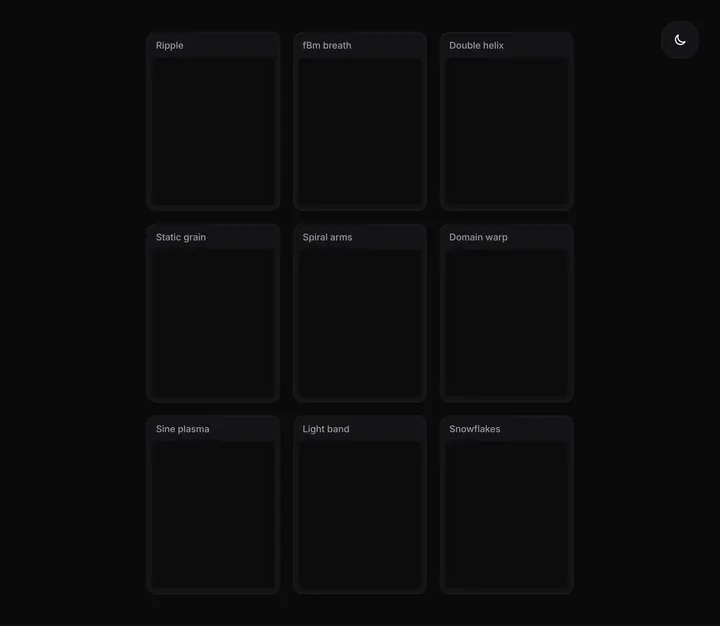
Antes de a imagem ficar pronta, o quadro distribui uma grade quadrada de pontos com espaçamento padrão de 20px; o raio e a opacidade de cada ponto são calculados em tempo real a partir do seu centro, com uma vinheta suave escurecendo as bordas. No modo escuro, os pontos acesos ganham um halo difuso e a moldura exibe duas camadas de brilho que respiram e giram em sentidos opostos. Os nove padrões de espera dividem-se em três famílias:
- Ruído: fBm breath sobrepõe quatro oitavas de ruído fractal que oscilam lentamente como nuvens e serve de base para os demais efeitos; Domain warp usa uma camada de ruído para empurrar outra enquanto deriva em uma única direção, fluindo como fumaça.
- Geométricos: Ripple espalha ondas concêntricas a partir do centro, Spiral arms gira três braços espirais, Sine plasma soma a interferência de quatro ondas senoidais, Light band varre na diagonal uma faixa de luz suave a cada 3,3 segundos, Double helix atravessa o quadro girando uma dupla hélice com ligações entre os fios e Snowflakes faz flocos hexagonais ramificados girarem devagar ao cair junto de uma neve fina de pontos únicos (cada braço ocupa ao menos quatro espaçamentos da grade para manter os ramos legíveis mesmo em quadros pequenos). Todos os padrões geométricos recebem uma camada sutil de ruído para preservar pequenas variações de brilho entre os pontos, reforçando a sensação de imagem “sendo gerada”.
- Aleatórios: Static grain interpola suavemente cada ponto entre níveis aleatórios de brilho em sua própria fase (cerca de 2,5 trocas por segundo), lembrando o chuvisco de uma TV antiga sem piscadas bruscas.
A chegada: nove transições de revelação
Cada padrão de espera traz uma transição de revelação combinada por padrão, mas qualquer matriz pode ser pareada livremente com qualquer revelação — sendo Halftone, Dissolve, Denoise e Cells as mais versáteis:
| Transição | Padrão combinado | Modo de revelação |
|---|---|---|
| Fisheye (olho de peixe) | Ripple | Um círculo se expande do centro estufando a imagem como lente olho de peixe e aplanando conforme cresce |
| Halftone (meio-tom) | fBm breath | Os pontos assumem a cor média da região e incham até se tocarem enquanto o desfoque ganha foco na metade final |
| Unzip (zíper) | Double helix | Abre-se da linha central horizontal para cima e para baixo em ondas que acompanham a hélice até ficarem retas |
| Denoise (redução de ruído) | Static grain | A imagem bem desfocada coberta por granulação dinâmica a 24 quadros por segundo vai limpando como numa difusão reversa |
| Spiral (varredura espiral) | Spiral arms | Um único braço espiral gira a partir do centro do quadro revelando a imagem por onde passa |
| Dissolve (dissolução) | Domain warp | Surge por partes guiada por um mapa de ruído suave, com bordas de transição orgânicas |
| Interference (interferência) | Sine plasma | Usa o campo contínuo de quatro ondas senoidais em interferência como limiar de revelação |
| Stream (linha a linha) | Light band | Avança de cima para baixo linha por linha mantendo acima da frente uma faixa progressiva de blocos de 2px a 16px |
| Cells (floração celular) | Snowflakes | Divide o quadro em células Voronoi que desabrocham em círculos suaves a partir do centro em momentos aleatórios da primeira metade |
Em Halftone, Denoise e Cells, a entrada também dispara uma onda de choque do centro para fora, esticando levemente o lado externo do anel e comprimindo o interno, além de somar um brilho sutil de quatro cores apenas sobre a área da imagem já revelada — sem nunca iluminar os pontos ainda não revelados.
Detalhes compartilhados por todas as revelações
- Zoom inicial e foco suave ao assentar: A revelação dura 1,4 segundo por padrão em uma curva rápida na entrada e longa na acomodação. A imagem surge 10% ampliada e levemente desfocada, assentando gradualmente no tamanho original com nitidez total (Halftone e Denoise já trazem sua própria transição de nitidez e não duplicam o desfoque), enquanto o quadro em si permanece imóvel.
- Refração de vidro nas bordas: A faixa interna de 26px do quadro age como o chanfro de um bloco de vidro, amostrando a imagem levemente para dentro (até 12px na borda, por padrão); os 20px internos da frente de revelação também sofrem leve refração ondulante antes de acalmarem perto do fim.
- Dispersão cromática atrelada à deformação: Apenas onde há deslocamento por refração, os canais vermelho e azul afastam sua amostragem em ±30%; áreas paradas e planas nunca separam cores, e a frente de revelação exibe apenas uma linha branca fina sem contornos coloridos artificiais.
- Decodificação e limites de tempo: A transição só começa depois que a imagem termina de decodificar (
image.decode()). Seguindo o princípio de 017 Estados de carregamento, imagens que retornam em até 300ms pulam a matriz de pontos com um fade-in direto para evitar piscadas; quando várias imagens são geradas lado a lado (como numa grade 3×3), cada uma entra com atrasos irregulares escalonados; e, se a requisição falhar, os pontos param onde estão explicando o motivo e oferecendo nova tentativa.
Desempenho e controles ao vivo
O brilho de cada ponto é calculado primeiro em uma textura minúscula de “um pixel por ponto” e apenas lido na hora de desenhar o quadro em tamanho real, sem nunca calcular ruído pixel a pixel na tela cheia; máscaras estáticas de dissolução também são geradas uma única vez na metade da resolução ao inicializar. O canvas cobre somente os quadros de imagem com densidade máxima de 2× e pausa fora da área visível; assim que a imagem assenta por completo, desenha o último quadro e encerra o loop com custo zero de GPU em repouso. Com “Reduzir movimento” ativado no sistema, recomenda-se desligar respiração, zoom, refração, dispersão e onda de choque, dando lugar a uma matriz estática e um fade-in de 200ms.
Velocidade da respiração, duração da revelação, espaçamento e tamanho dos pontos, escala do ruído, zoom inicial, desfoque, dispersão, refração de borda e brilhos do modo escuro ficam disponíveis em controles deslizantes; cada padrão salva seus próprios valores padrão, e um clique duplo na linha ou o botão de redefinir restaura tudo.
Passe para a IA
O Prompt abaixo mapeia primeiro o fluxo atual de geração de imagens e a stack de renderização do projeto, confirmando com você cada escolha sobre onde aplicar, qual par de matriz e revelação usar e quem verá o painel de ajustes; após o seu aval, implementa tudo conforme os recursos da plataforma — incluindo fallback sem GPU — preservando o layout, as cores e os textos originais do produto.
Build the wait and the arrival for generated images in my product. While an image is being made, its box shows a grid of dots that breathe in one of nine loading patterns, under a status line with a moving sheen. When the image is ready it comes in through the dots in one of nine reveals, enlarged and soft at first and settling sharp, its edges bending like glass, with a colour split where the picture bends; three of the reveals also send a shockwave across it. Any pattern can be paired with any reveal. A settings panel shows the key numbers as sliders, set to the defaults below, so they can be tuned live.

Every value here comes from a working demo and is a default, not a requirement. Build it with these values first, then let me tune them with the panel (section 9).

Before building, look at my project (section 0) and ask me these, one at a time, with the recommended answer marked:
1. Where it goes: every place a generated image appears (recommended; list them), or the ones I name.
2. Which pattern and reveal: one pair everywhere (recommended: fBm breath with Halftone grow, or let me pick from section 3 and 5), a pair per place, or a different pair for each new image.
3. The settings panel: only in development (recommended), behind a toggle, or for everyone.
Then sum up my answers, say how you will build it on my platform (section 10), and wait for my go-ahead.

0. Start from what exists
- Find how images are generated and shown: where a request starts, where the result arrives (URL, blob, base64 or stream), whether progress or a partial image is reported, and the component that draws the image box.
- Find how the project draws (DOM, canvas, WebGL, a native view tree), its framework and versions, its slider components, its dark mode and its reduced-motion setting.
- Tell me in a few lines what you found before asking.

1. Timing
- The pass: the dots fade in over 500ms; the status line reads "Making the first draft…", then "Refining the details…" after 1.3s, and "Done" once the image is decoded and starts to come in. Use my product's own wording and language if it has some.
- The reveal starts when the image is decoded (await image.decode() or its equivalent), never on the network response alone. It runs 1400ms with cubic-bezier(0.16, 1, 0.3, 1): fast in, a long settle. Call its progress R, 0 to 1, eased.
- If the image is ready within 300ms of the request, skip the dots and just fade it in, or the loading state flashes. If the request fails, stop the dots where they are, say what happened and offer a retry.
- Several images at once (a batch or a grid): each comes in after its own delay, picked unevenly, for example 0, 560, 220, 820, 380, 1040, 120, 700, 300ms across a 3 x 3 grid, so they arrive at uneven moments rather than together or as a sweep.

2. The box and the dots
- The image box has the image's own proportions and rounded corners (14px in a 600 x 772 card, the card 28px, concentric). Above it sits the status line, 20px type, in a dim ink; a 96px window of full ink, soft at both ends, crosses the text every 1.7s. Move the window and a copy of the text inside it in opposite directions as transforms, so the text never repaints.
- Dots on a square grid, pitch 20px, centred in the box. Each dot's value v (0 to 1) comes from its loading pattern (section 3), worked out once per dot, not per pixel. The dot's radius goes from 0.55px to 15% of the pitch with v, its opacity from 0.1 to 1. A vignette dims the dots near the box's edge: 0.45 + 0.55 * smoothstep(8, 72, distance to the edge).
- Dot glow (dark theme only): a soft halo round each lit dot, a Gaussian of sigma 0.3 * pitch, strength v^2, summed over the dot's own cell and its eight neighbours so halos cross cells without a seam.
- Edge glow while loading (dark theme only), in two layers set apart so they never swell together. Outer: a wide haze (exp(-d / 12)) and a thin line on the rim (exp(-d / 2.5)), d the distance in from the box's edge, breathing every 2.4s, with two brighter arcs turning clockwise once in 8s. Inner: a soft band about 6px in (a Gaussian 3.5px wide) plus a faint wide haze, breathing every 3.7s from the opposite point of its swell, with three arcs turning anticlockwise once in 11s. Both fade out over the first third of the reveal.
- Light theme: dark dots on a pale box, no glows, a softer rim on the reveals.

3. The nine loading patterns
All take p, the dot's centre in px, and t, the breathing clock in seconds (scaled by the Breathing slider, so changing speed never jumps). n is value noise in fBm: four octaves, each at twice the frequency and half the amplitude, read at p / scale (scale 180px) and t * 0.32.
- Ripple: rings from the centre, w = 0.5 + 0.5 * sin(r * 5.2 * PI / 2 - 2.6t), r = |p - centre| / scale; v = smoothstep(0.15, 0.85, mix(n, w, 0.6) * (0.55 + 0.6n)).
- fBm breath: v = smoothstep(0.28, 0.74, n). The base the others build on.
- Double helix: two strands lying across the box and turning, y = ±72 * sin(x / 44 - 1.8t) (in units of the box's height / 306), each a Gaussian 10 wide, the nearer one brighter (by cos of the phase), with base pairs on every second column between them.
- Static grain: each dot eases from one random level to the next about 2.5 times a second, on its own offset, mixed 42% over n. Ease between levels (smoothstep), or it blinks.
- Spiral arms: three arms, s = 0.5 + 0.5 * sin(3θ + 5.5r - 2.2t); v = smoothstep(0.12, 0.85, mix(n, s, 0.55) * (0.6 + 0.5n)).
- Domain warp: the noise read at a point pushed far by more noise, the whole drifting one way so it streams like smoke: drift = (0.22t, -0.1t); w = (fbm(q * 1.1 + drift), fbm(q * 1.1 + drift + 5.2)); v = smoothstep(0.34, 0.7, fbm(q + 4(w - 0.5) + 1.6 drift)).
- Sine plasma: four sines summed, sin(2.6x + 0.9t) + sin(3.1y - 1.1t) + sin(2.2(x + y) + 0.7t) + sin(4.4r - 1.5t), x, y in noise cells; v = smoothstep(0.2, 0.8, mix(0.5 + 0.125 * sum, n, 0.35)).
- Light band: a Gaussian band, 0.15 wide, sweeping diagonally across every 3.3s over half-strength noise.
- Snowflakes: six-armed flakes, each arm with a branch at half its length, one to a square of side z = max(0.27 * box height, 11 * pitch), placed at random in it, with an arm 0.37 to 0.5 z long, turning slowly as they fall (18px/s) with a little sway; behind them single-dot snow, one grain to a square of 0.4z, falling twice as fast at 35 to 60% brightness; noise at 12% beneath. Fold the angle into one twelfth of a turn so one arm and its branch, drawn once, make all six. Keep a flake's arm at least four dots long, or it reads as a blob.

4. How every image comes in
These apply to all nine reveals.
- Zoom in: the picture is read about the box's centre at 1 + 0.10 * (1 - R), so it arrives 10% enlarged and settles to its own size. The box itself never scales.
- Blur in: read the picture 3 mip levels softer at the start, easing to sharp: bias = 3 * (1 - R)^0.8. Halftone and Denoise blur on their own; skip it there.
- Edge bend: the box's rounded edge acts like the bevel of a glass slab. In the last 26px, read the picture from further in by bend * 2 * (1 - R)^0.7 * (1 - d / 26)^2 px (bend 6), so it stretches toward the edge; the edge itself stays put. Along a reveal's own front, the 20px just inside it bend the same way, by bend * exp(-(d / 14)^2), with a slow noise wobble of ±67% along the front, fading out as R passes 0.85.
- Dispersion: wherever the picture is read from a moved place, read red from 30% further along the move and blue from 30% less. Colour then splits only where the picture bends, never where it holds still. Do not draw a coloured outline on the edge; the split belongs to the picture.
- A thin white line rides each front (strength 0.55 on dark, 0.22 on light), fading as R passes 0.85.

5. The nine reveals
Each opens the picture over the dots by a mask a; R is the eased progress.
- Fisheye lens: a circle grows from the centre to cover the box (front = 1.3R - 0.1 of the half-diagonal). Inside, the picture bulges like a fisheye (read at centre + d * (1 - k + k * u^2), u = distance / front, k = 0.5(1 - R)), a damped wave runs behind the edge, and red and blue split toward the rim; all of it relaxes to flat.
- Halftone grow: each dot takes the picture's colour averaged over its cell and swells to half the pitch, until the circles touch; then the picture focuses in from 4.5 mip levels soft over the second half.
- Unzip: opens from the middle outward, |y| < R * (half height + 30px) + 22 * sin(x / 44 - 1.8t) * (1 - R) (the wave in the helix's units, box height / 306), so its edges wave with the strands until they settle straight.
- Denoise: the picture from 6 mip levels soft to sharp, (1 - R)^1.4, under 1.5px grain of ±45% * (1 - R)^2 that refreshes 24 times a second: diffusion run backwards.
- Spiral wipe: one arm sweeps out from the centre: key = 0.72 * r / half-diagonal + 0.28 * angle / 2PI; open where key < 1.12R - 0.06.
- Noise dissolve: a smooth two-octave noise map, drawn once at half size; open where it is below 1.3R - 0.15, with a soft edge of ±0.03.
- Interference wipe: the same four-sine sum as Sine plasma as a threshold map, still moving; open where it is below 1.25R - 0.1.
- Top-down stream: rows arrive from the top (front at 1.22R - 0.06 of the height); the band of 16% just above the front is still coarse, in blocks of 2px where it meets the finished rows growing to 16px at the front, the way a streamed image fills in.
- Cell bloom: Voronoi cells about a fifth of the box's height; each starts at a random moment in the first 55% of R and opens as a circle growing from its seed.

Shockwave (on Halftone grow, Denoise and Cell bloom): as the image comes in, a ring runs out from the centre to 1.25 x the half-diagonal, 0.12 x the half-diagonal wide. With x = (distance - ring radius) / width and z = 0.75x, the picture is pushed outward by bend * 1.6 * 2.33 * z * exp(-z^2) * A (it stretches beyond the ring and squeezes behind it), with the same dispersion, and A = smoothstep(0, 0.08, R) * (1 - smoothstep(0.55, 1, R)). A faint glow rides the ring in four colours blending softly, inside to out #508CFF, #A06EFF, #FF6EB4, #FFBE8C, strength A * exp(-0.5x^2) * 0.16 on dark (screen: added light) and 0.12 on light (a tint), only on the part of the image already in, never on the dots.

6. Pairing patterns and reveals
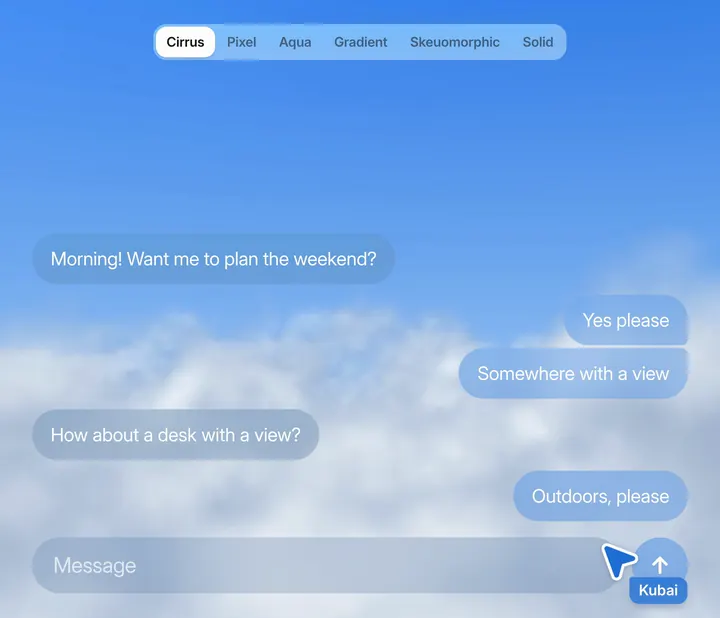
- Each pattern has a reveal it suits: Ripple with Fisheye lens, fBm breath with Halftone grow, Double helix with Unzip, Static grain with Denoise, Spiral arms with Spiral wipe, Domain warp with Noise dissolve, Sine plasma with Interference wipe, Light band with Top-down stream, Snowflakes with Cell bloom. Any pattern still works with any reveal; Halftone, Dissolve, Denoise and Cell bloom are the most general.
- If my product shows a gallery of the options (a picker or a settings page), show the patterns as tabs and the reveals in a row beneath, each wired to its pattern by a faint S-curve. As an image comes in, a bright run draws down its wire from the pattern to the reveal, with a dot at its head, and the reveal's name lights up with it (brightness p^2).

7. Theme
- Dark: page #0b0b0c, card #161618, box #0e0e0f, dots #f2f2f2. Light: page #f7f7f7, card #ffffff, box #f4f4f4, dots #1c1c1c. Use my product's own colours if it has them; keep the dots neutral.
- The theme crossfades over 480ms; the dots, box and glows follow it.

8. Keep it cheap
- Work the pattern out once per dot into a small texture (one texel per dot), then draw the box at full size and only read it back. Never evaluate noise per pixel.
- Masks that never change (the dissolve map) are drawn once at start, at half size.
- Once an image is fully in and not fading, draw it once and stop; such a frame does no GPU work.
- The canvas covers only the image boxes, at no more than 2x pixel density. Nothing draws while the box is off screen.
- Reduced motion: no breathing (a still pattern), no zoom, bend, dispersion or shockwave; the image fades in over 200ms.

9. The settings panel
- One row per number: its name, a slider and its value with the unit. Moving a slider updates the picture at once. Each pattern keeps its own values (the tab on show sets the panel); double-clicking a row puts it back to the pattern's default, and a Reset button, shown only once something has moved, puts the whole pattern back.
- Rows and defaults: Breathing 100% (0–300), Reveal time 1400ms (400–3000), Dot pitch 20px (12–36), Dot size 15% (5–30), Noise scale 180px (80–360), Zoom in 10% (0–30), Blur in 50% (0–100), Dispersion 30% (0–100), Edge bend 6px (0–20), Edge glow 30% (0–100, dark only), Dot glow 40% (0–100, dark only), and the theme (Auto, Dark, Light).
- Per-pattern defaults on top of those: fBm breath reveal 1600, zoom 8, blur 30, bend 8; Domain warp scale 220, breathing 120, reveal 1600, blur 70; Snowflakes pitch 15, dot 14, reveal 1800, dispersion 35, bend 8; Ripple breathing 90, reveal 1600, zoom 6, dispersion 35; Light band breathing 110, reveal 1300, zoom 8, bend 8; Sine plasma scale 200, reveal 1600; Double helix pitch 18, breathing 110, dispersion 25; Static grain pitch 16, dot 13, reveal 1800, zoom 12, blur 30, dispersion 25, bend 8; Spiral arms breathing 120, reveal 1500, dispersion 35.
- Use my slider component if I have one; otherwise a plain range input with a filled track, an upright handle and a number box beside it.

10. How to build it, by platform
These are suggestions; check them against my stack and versions.
- Web (as in the demo): one WebGL 2 canvas over the image boxes. Pass 1 draws the pattern into a texture of one texel per dot; pass 2 draws each box with its viewport set to the box, reading that texture, the picture (with mipmaps, for the blur and the halftone colours) and the masks. One requestAnimationFrame loop for every box on the page. Keep the status line in the DOM.
- iOS: Metal (MTKView) with the same two passes, or SwiftUI on iOS 17+: a colorEffect for the dots and a layerEffect for the reveal, bend and dispersion.
- Android: on API 33+, AGSL RuntimeShader in Compose (graphicsLayer with RenderEffect); otherwise OpenGL ES 3.
- Flutter: FragmentProgram shaders, the dot texture drawn with a CustomPainter. React Native: react-native-skia RuntimeEffect.
- Without a GPU path: draw the dots on a 2D canvas (one arc per dot), and reveal the image with CSS: a mask-image for the shape, transform: scale for the zoom and filter: blur for the softness; leave out the bend, dispersion and shockwave.

11. Check
- Each pattern reads as itself on a small box as well as a large one (the snowflakes as six-armed flakes, the helix as two strands).
- The image starts to come in only once decoded; a fast image skips the dots; a failure stops them and says why.
- On arrival the picture is enlarged and soft and settles sharp; its edges bend and split colour only where they move; the white front line is plain, never coloured.
- The shockwave's glow stays faint and never lights the dots.
- Every slider changes the picture at once; each pattern keeps its own values; Reset restores them.
- 60 fps on a mid-range phone with several boxes loading; no GPU work once the images are in; light and dark, reduced motion and keyboard use of the panel all checked.