








Image Loading
AI 이미지 생성의 도트 매트릭스 대기와 등장 모션
이미지 생성 중의 단조로운 스피너를 9가지 프로시저럴 호흡 도트 매트릭스로 바꾸고, 가장자리 굴절과 색수차를 더한 9가지 등장 전환을 자유롭게 조합해 실시간으로 조절합니다.
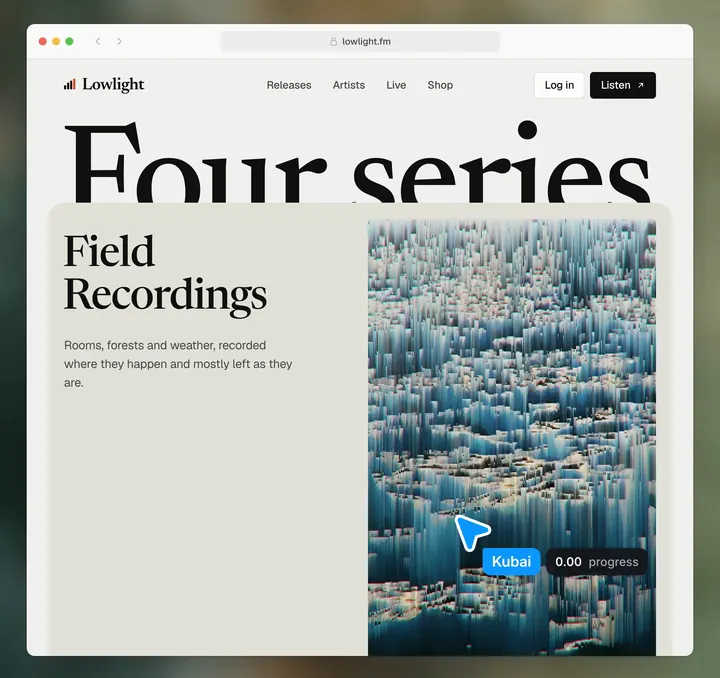
AI 이미지 생성은 보통 몇 초에서 길게는 그 이상의 대기가 필요합니다. 빈 프레임 한가운데 회전 아이콘 하나만 띄워 두면 기다림이 길고 지루하게 느껴지고, 생성이 끝나자마자 원본 이미지를 툭 띄우면 연결이 어색하게 끊깁니다. 대기와 등장을 하나의 연속된 경험으로 설계해 보세요. 이미지를 생성하는 동안에는 프레임 안에 함수에 따라 숨 쉬는 도트 매트릭스를 깔고 상단에 은은한 빛이 스쳐 지나가는 단계 안내 문구를 배치한 뒤, 준비가 끝나면 도트 매트릭스 속에서 이미지가 자연스럽게 인화되듯 자리 잡게 하면 앞뒤 흐름이 매끄럽게 이어집니다.
대기: 숨 쉬는 도트 매트릭스
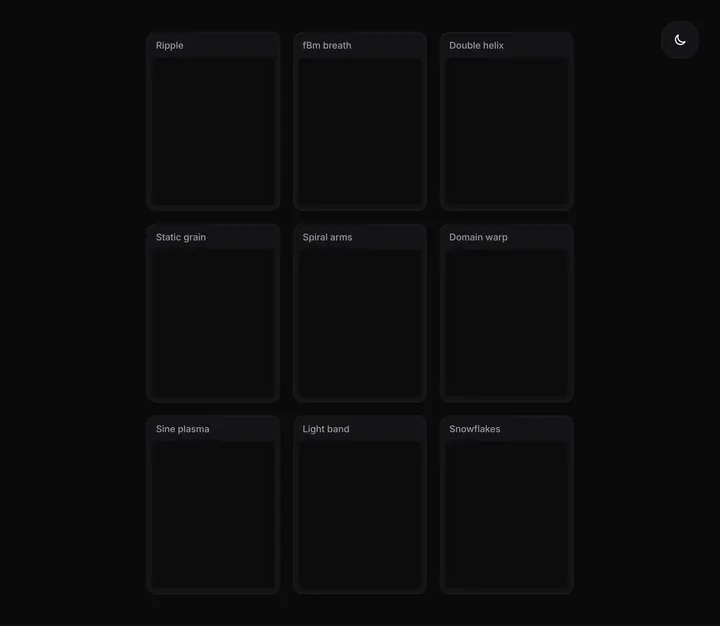
이미지가 완성되기 전까지 프레임 안에는 기본 20px 간격의 정방형 도트 매트릭스가 깔리며, 각 점의 반지름과 불투명도는 점 중심 좌표를 기준으로 함수가 실시간 계산하고 가장자리는 부드러운 비네팅으로 정돈합니다. 다크 모드에서는 밝게 켜진 점마다 은은한 광채가 감돌고, 프레임 테두리에도 안팎 두 겹의 호흡하는 미세 광원이 서로 반대 방향으로 회전합니다. 9가지 대기 패턴은 세 계열로 나뉩니다.
- 노이즈 계열: fBm breath는 4옥타브 프랙탈 노이즈를 겹쳐 구름처럼 느리게 밝기가 일렁이며 나머지 패턴의 바탕이 되고, Domain warp는 한 층의 노이즈로 다른 노이즈를 밀어내며 한쪽 방향으로 흘려보내 연기가 피어오르는 듯한 인상을 줍니다.
- 기하 계열: Ripple은 중심에서 동심원 파문을 퍼뜨리고, Spiral arms는 세 개의 나선 팔을 회전시키며, Sine plasma는 네 조의 사인파 간섭을 겹칩니다. Light band는 3.3초마다 대각선으로 부드러운 빛줄기를 쓸어내리고, Double helix는 프레임을 가로지르는 이중 나선을 회전시키며 가닥 사이의 연결선을 그리며, Snowflakes는 육각 가지 눈송이를 단일 점 가랑눈과 함께 천천히 회전하며 내리게 합니다(팔 하나가 최소 도트 간격 4칸을 차지해 작은 프레임에서도 가지 윤곽이 또렷하게 읽힙니다). 기하 계열에는 모두 옅은 노이즈를 한 겹 섞어 점마다 미세한 밝기 차이를 남기므로 '생성 중'인 느낌에 훨씬 가깝습니다.
- 랜덤 계열: Static grain은 각 점이 고유한 위상에 따라 무작위 밝기 사이를 부드럽게 보간하며 오가게 해(초당 약 2.5회 변화), 거친 깜빡임 없이 옛날 브라운관 TV의 스태틱 노이즈 같은 질감을 냅니다.
등장: 9가지 전환 효과
각 대기 패턴에는 기본으로 짝지어진 등장 전환이 있지만 어떤 패턴과 어떤 전환이든 자유롭게 조합할 수 있으며, 그중에서도 Halftone, Dissolve, Denoise, Cells가 어디에나 두루 잘 어울립니다.
| 전환 | 기본 짝 패턴 | 등장 방식 |
|---|---|---|
| Fisheye(어안) | Ripple | 원형 영역이 중심에서 넓어지며 안쪽 화면이 어안 렌즈처럼 볼록하게 솟았다가 퍼지면서 평평해짐 |
| Halftone(망점 확대) | fBm breath | 도트가 해당 영역의 평균 색으로 물든 뒤 부풀어 맞닿고, 후반부에는 블러가 걷히며 초점이 맞음 |
| Unzip(열림) | Double helix | 수평 중앙선에서 위아래로 물결치듯 열리며 나선을 따라 일렁이던 경계가 점차 곧게 펴짐 |
| Denoise(노이즈 제거) | Static grain | 강하게 흐려진 화면 위에서 초당 24회 갱신되는 입자가 서서히 걷히며 역확산 디노이징처럼 선명해짐 |
| Spiral(나선 와이프) | Spiral arms | 단일 나선 팔이 프레임 중심에서 회전하며 화면을 쓸어 드러냄 |
| Dissolve(디졸브) | Domain warp | 부드러운 노이즈 맵을 따라 한 덩어리씩 자연스러운 경계로 스며 나오듯 드러남 |
| Interference(간섭) | Sine plasma | 쉼 없이 흐르는 네 조의 사인파 간섭장을 임계값으로 삼아 화면을 드러냄 |
| Stream(순차 스트림) | Light band | 위에서 아래로 한 줄씩 내려오며 앞머리 위쪽에 2px~16px의 점진적 색 블록 전환 구간을 남김 |
| Cells(세포 개화) | Snowflakes | Voronoi 격자로 영역을 나누고 전반부 무작위 시점에 각 셀 중심에서 둥글게 피어남 |
그중 Halftone, Denoise, Cells는 이미지가 등장할 때 중심에서 바깥으로 충격파 고리도 함께 밀어냅니다. 고리 바깥쪽은 살짝 당기고 안쪽은 미세하게 조이면서 이미 드러난 이미지 영역 위에만 절제된 4색 은은한 빛을 얹으며, 아직 드러나지 않은 도트 매트릭스는 절대 비추지 않습니다.
모든 등장 전환이 공유하는 디테일
- 확대 후 소프트 포커스 안착: 등장 전환은 기본 1.4초 동안 빠르게 들어와 천천히 가라앉는 커브로 진행됩니다. 이미지가 10% 확대되고 살짝 흐린 상태에서 출발해 원래 크기와 선명한 초점으로 차분히 안착하며(Halftone과 Denoise는 자체 선명도 전환이 있어 블러를 중복 적용하지 않음), 프레임 자체의 크기는 고정됩니다.
- 가장자리 유리 굴절: 프레임 안쪽 26px 구간이 비스듬히 깎인 유리 모서리처럼 작동해 가장자리 화면을 안쪽에서 미세하게 당겨 샘플링합니다(가장자리 끝에서 기본 최대 12px). 이미지가 드러나는 경계선 안쪽 20px 구간에도 잔잔하게 일렁이는 굴절이 더해졌다가 막바지에 잠잠해집니다.
- 변형을 따라가는 색수차: 화면에 굴절 변위가 일어난 지점에서만 빨강·파랑 채널의 샘플링 오프셋을 각각 ±30% 벌립니다. 멈춰 있는 평평한 영역에서는 색이 절대 갈라지지 않으며, 등장 경계선에도 인위적인 색 테두리 대신 얇고 깔끔한 흰색 하이라이트 선만 남깁니다.
- 디코딩과 타이밍 경계: 이미지 디코딩(
image.decode())이 끝난 뒤에 전환을 시작합니다. 017 로딩 상태의 원칙을 이어받아 300ms 이내에 돌아오는 이미지는 깜빡임을 막기 위해 도트 매트릭스를 건너뛰고 바로 페이드인하며, 여러 장을 나란히 생성할 때(예: 3×3 그리드)는 불규칙한 시차를 두어 차례로 등장시키고, 요청이 실패하면 도트를 멈춘 채 원인을 안내하고 재시도 버튼을 제공합니다.
성능과 실시간 조절
각 도트의 밝기는 먼저 '도트 하나당 1픽셀' 크기의 작은 텍스처에 계산해 두고 전체 프레임을 그릴 때는 이를 읽어 오기만 하므로, 화면 전체 픽셀마다 노이즈를 일일이 연산하지 않습니다. 고정된 디졸브 마스크 역시 초기화 시 절반 크기로 한 번만 그려 재사용합니다. 캔버스는 이미지 프레임 영역만 덮고 픽셀 밀도는 최대 2×로 제한하며, 화면 밖으로 스크롤되면 렌더링을 멈추고 이미지가 완전히 안착해 마지막 프레임을 그린 뒤에는 루프를 정지해 정지 상태에서 GPU 비용이 전혀 들지 않습니다. 시스템에서 '동작 줄이기'를 켜면 호흡, 줌, 굴절, 색수차, 충격파를 모두 끄고 정지된 도트 매트릭스와 200ms 페이드인으로 대체하기를 권장합니다.
호흡 속도, 등장 시간, 도트 간격, 도트 크기, 노이즈 스케일, 확대 비율, 블러, 색수차, 가장자리 굴절, 다크 모드 광채는 모두 슬라이더로 열어 두었으며, 패턴마다 고유한 기본값이 저장되어 행을 더블클릭하거나 초기화 버튼을 누르면 언제든 원래 값으로 돌아갑니다.
AI에게 맡기기
아래 Prompt는 먼저 프로젝트의 기존 이미지 생성 흐름과 렌더링 기술 스택을 파악한 뒤 적용 범위, 도트 패턴과 전환 조합, 파라미터 패널의 노출 방식을 차례로 확인합니다. 확인이 끝나면 플랫폼 환경에 맞춰 구현하고 GPU를 쓸 수 없는 환경의 폴백까지 함께 구성하며, 기존 제품의 레이아웃·색상·문구는 그대로 유지합니다.
Build the wait and the arrival for generated images in my product. While an image is being made, its box shows a grid of dots that breathe in one of nine loading patterns, under a status line with a moving sheen. When the image is ready it comes in through the dots in one of nine reveals, enlarged and soft at first and settling sharp, its edges bending like glass, with a colour split where the picture bends; three of the reveals also send a shockwave across it. Any pattern can be paired with any reveal. A settings panel shows the key numbers as sliders, set to the defaults below, so they can be tuned live.

Every value here comes from a working demo and is a default, not a requirement. Build it with these values first, then let me tune them with the panel (section 9).

Before building, look at my project (section 0) and ask me these, one at a time, with the recommended answer marked:
1. Where it goes: every place a generated image appears (recommended; list them), or the ones I name.
2. Which pattern and reveal: one pair everywhere (recommended: fBm breath with Halftone grow, or let me pick from section 3 and 5), a pair per place, or a different pair for each new image.
3. The settings panel: only in development (recommended), behind a toggle, or for everyone.
Then sum up my answers, say how you will build it on my platform (section 10), and wait for my go-ahead.

0. Start from what exists
- Find how images are generated and shown: where a request starts, where the result arrives (URL, blob, base64 or stream), whether progress or a partial image is reported, and the component that draws the image box.
- Find how the project draws (DOM, canvas, WebGL, a native view tree), its framework and versions, its slider components, its dark mode and its reduced-motion setting.
- Tell me in a few lines what you found before asking.

1. Timing
- The pass: the dots fade in over 500ms; the status line reads "Making the first draft…", then "Refining the details…" after 1.3s, and "Done" once the image is decoded and starts to come in. Use my product's own wording and language if it has some.
- The reveal starts when the image is decoded (await image.decode() or its equivalent), never on the network response alone. It runs 1400ms with cubic-bezier(0.16, 1, 0.3, 1): fast in, a long settle. Call its progress R, 0 to 1, eased.
- If the image is ready within 300ms of the request, skip the dots and just fade it in, or the loading state flashes. If the request fails, stop the dots where they are, say what happened and offer a retry.
- Several images at once (a batch or a grid): each comes in after its own delay, picked unevenly, for example 0, 560, 220, 820, 380, 1040, 120, 700, 300ms across a 3 x 3 grid, so they arrive at uneven moments rather than together or as a sweep.

2. The box and the dots
- The image box has the image's own proportions and rounded corners (14px in a 600 x 772 card, the card 28px, concentric). Above it sits the status line, 20px type, in a dim ink; a 96px window of full ink, soft at both ends, crosses the text every 1.7s. Move the window and a copy of the text inside it in opposite directions as transforms, so the text never repaints.
- Dots on a square grid, pitch 20px, centred in the box. Each dot's value v (0 to 1) comes from its loading pattern (section 3), worked out once per dot, not per pixel. The dot's radius goes from 0.55px to 15% of the pitch with v, its opacity from 0.1 to 1. A vignette dims the dots near the box's edge: 0.45 + 0.55 * smoothstep(8, 72, distance to the edge).
- Dot glow (dark theme only): a soft halo round each lit dot, a Gaussian of sigma 0.3 * pitch, strength v^2, summed over the dot's own cell and its eight neighbours so halos cross cells without a seam.
- Edge glow while loading (dark theme only), in two layers set apart so they never swell together. Outer: a wide haze (exp(-d / 12)) and a thin line on the rim (exp(-d / 2.5)), d the distance in from the box's edge, breathing every 2.4s, with two brighter arcs turning clockwise once in 8s. Inner: a soft band about 6px in (a Gaussian 3.5px wide) plus a faint wide haze, breathing every 3.7s from the opposite point of its swell, with three arcs turning anticlockwise once in 11s. Both fade out over the first third of the reveal.
- Light theme: dark dots on a pale box, no glows, a softer rim on the reveals.

3. The nine loading patterns
All take p, the dot's centre in px, and t, the breathing clock in seconds (scaled by the Breathing slider, so changing speed never jumps). n is value noise in fBm: four octaves, each at twice the frequency and half the amplitude, read at p / scale (scale 180px) and t * 0.32.
- Ripple: rings from the centre, w = 0.5 + 0.5 * sin(r * 5.2 * PI / 2 - 2.6t), r = |p - centre| / scale; v = smoothstep(0.15, 0.85, mix(n, w, 0.6) * (0.55 + 0.6n)).
- fBm breath: v = smoothstep(0.28, 0.74, n). The base the others build on.
- Double helix: two strands lying across the box and turning, y = ±72 * sin(x / 44 - 1.8t) (in units of the box's height / 306), each a Gaussian 10 wide, the nearer one brighter (by cos of the phase), with base pairs on every second column between them.
- Static grain: each dot eases from one random level to the next about 2.5 times a second, on its own offset, mixed 42% over n. Ease between levels (smoothstep), or it blinks.
- Spiral arms: three arms, s = 0.5 + 0.5 * sin(3θ + 5.5r - 2.2t); v = smoothstep(0.12, 0.85, mix(n, s, 0.55) * (0.6 + 0.5n)).
- Domain warp: the noise read at a point pushed far by more noise, the whole drifting one way so it streams like smoke: drift = (0.22t, -0.1t); w = (fbm(q * 1.1 + drift), fbm(q * 1.1 + drift + 5.2)); v = smoothstep(0.34, 0.7, fbm(q + 4(w - 0.5) + 1.6 drift)).
- Sine plasma: four sines summed, sin(2.6x + 0.9t) + sin(3.1y - 1.1t) + sin(2.2(x + y) + 0.7t) + sin(4.4r - 1.5t), x, y in noise cells; v = smoothstep(0.2, 0.8, mix(0.5 + 0.125 * sum, n, 0.35)).
- Light band: a Gaussian band, 0.15 wide, sweeping diagonally across every 3.3s over half-strength noise.
- Snowflakes: six-armed flakes, each arm with a branch at half its length, one to a square of side z = max(0.27 * box height, 11 * pitch), placed at random in it, with an arm 0.37 to 0.5 z long, turning slowly as they fall (18px/s) with a little sway; behind them single-dot snow, one grain to a square of 0.4z, falling twice as fast at 35 to 60% brightness; noise at 12% beneath. Fold the angle into one twelfth of a turn so one arm and its branch, drawn once, make all six. Keep a flake's arm at least four dots long, or it reads as a blob.

4. How every image comes in
These apply to all nine reveals.
- Zoom in: the picture is read about the box's centre at 1 + 0.10 * (1 - R), so it arrives 10% enlarged and settles to its own size. The box itself never scales.
- Blur in: read the picture 3 mip levels softer at the start, easing to sharp: bias = 3 * (1 - R)^0.8. Halftone and Denoise blur on their own; skip it there.
- Edge bend: the box's rounded edge acts like the bevel of a glass slab. In the last 26px, read the picture from further in by bend * 2 * (1 - R)^0.7 * (1 - d / 26)^2 px (bend 6), so it stretches toward the edge; the edge itself stays put. Along a reveal's own front, the 20px just inside it bend the same way, by bend * exp(-(d / 14)^2), with a slow noise wobble of ±67% along the front, fading out as R passes 0.85.
- Dispersion: wherever the picture is read from a moved place, read red from 30% further along the move and blue from 30% less. Colour then splits only where the picture bends, never where it holds still. Do not draw a coloured outline on the edge; the split belongs to the picture.
- A thin white line rides each front (strength 0.55 on dark, 0.22 on light), fading as R passes 0.85.

5. The nine reveals
Each opens the picture over the dots by a mask a; R is the eased progress.
- Fisheye lens: a circle grows from the centre to cover the box (front = 1.3R - 0.1 of the half-diagonal). Inside, the picture bulges like a fisheye (read at centre + d * (1 - k + k * u^2), u = distance / front, k = 0.5(1 - R)), a damped wave runs behind the edge, and red and blue split toward the rim; all of it relaxes to flat.
- Halftone grow: each dot takes the picture's colour averaged over its cell and swells to half the pitch, until the circles touch; then the picture focuses in from 4.5 mip levels soft over the second half.
- Unzip: opens from the middle outward, |y| < R * (half height + 30px) + 22 * sin(x / 44 - 1.8t) * (1 - R) (the wave in the helix's units, box height / 306), so its edges wave with the strands until they settle straight.
- Denoise: the picture from 6 mip levels soft to sharp, (1 - R)^1.4, under 1.5px grain of ±45% * (1 - R)^2 that refreshes 24 times a second: diffusion run backwards.
- Spiral wipe: one arm sweeps out from the centre: key = 0.72 * r / half-diagonal + 0.28 * angle / 2PI; open where key < 1.12R - 0.06.
- Noise dissolve: a smooth two-octave noise map, drawn once at half size; open where it is below 1.3R - 0.15, with a soft edge of ±0.03.
- Interference wipe: the same four-sine sum as Sine plasma as a threshold map, still moving; open where it is below 1.25R - 0.1.
- Top-down stream: rows arrive from the top (front at 1.22R - 0.06 of the height); the band of 16% just above the front is still coarse, in blocks of 2px where it meets the finished rows growing to 16px at the front, the way a streamed image fills in.
- Cell bloom: Voronoi cells about a fifth of the box's height; each starts at a random moment in the first 55% of R and opens as a circle growing from its seed.

Shockwave (on Halftone grow, Denoise and Cell bloom): as the image comes in, a ring runs out from the centre to 1.25 x the half-diagonal, 0.12 x the half-diagonal wide. With x = (distance - ring radius) / width and z = 0.75x, the picture is pushed outward by bend * 1.6 * 2.33 * z * exp(-z^2) * A (it stretches beyond the ring and squeezes behind it), with the same dispersion, and A = smoothstep(0, 0.08, R) * (1 - smoothstep(0.55, 1, R)). A faint glow rides the ring in four colours blending softly, inside to out #508CFF, #A06EFF, #FF6EB4, #FFBE8C, strength A * exp(-0.5x^2) * 0.16 on dark (screen: added light) and 0.12 on light (a tint), only on the part of the image already in, never on the dots.

6. Pairing patterns and reveals
- Each pattern has a reveal it suits: Ripple with Fisheye lens, fBm breath with Halftone grow, Double helix with Unzip, Static grain with Denoise, Spiral arms with Spiral wipe, Domain warp with Noise dissolve, Sine plasma with Interference wipe, Light band with Top-down stream, Snowflakes with Cell bloom. Any pattern still works with any reveal; Halftone, Dissolve, Denoise and Cell bloom are the most general.
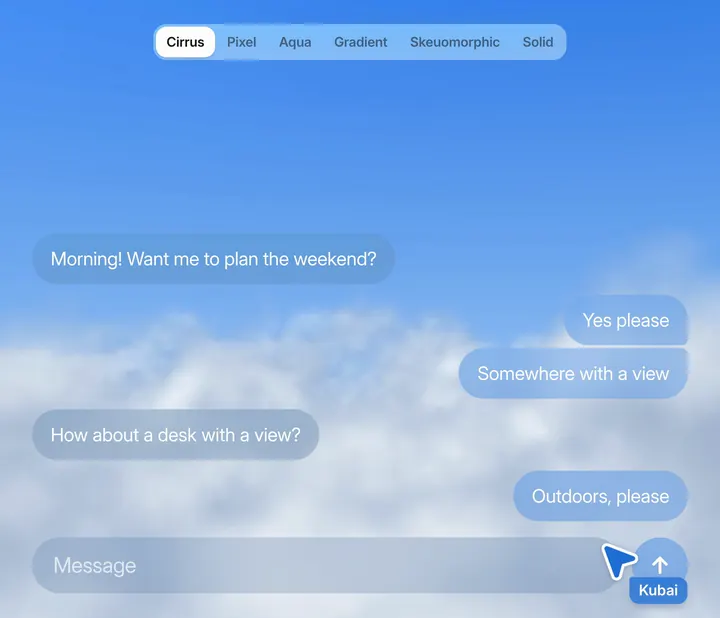
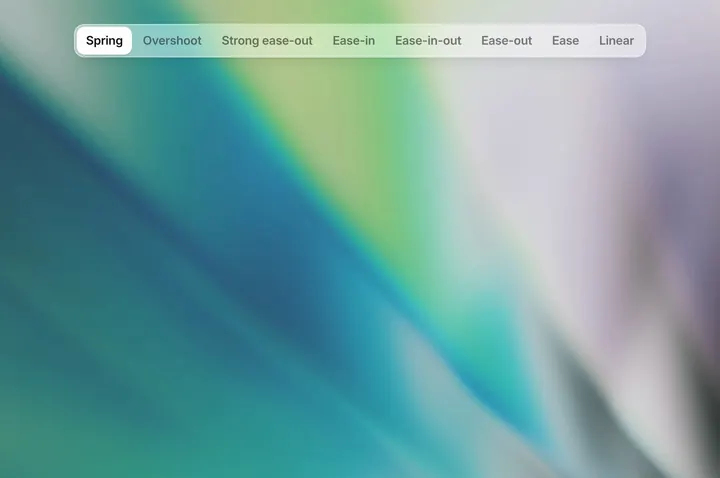
- If my product shows a gallery of the options (a picker or a settings page), show the patterns as tabs and the reveals in a row beneath, each wired to its pattern by a faint S-curve. As an image comes in, a bright run draws down its wire from the pattern to the reveal, with a dot at its head, and the reveal's name lights up with it (brightness p^2).

7. Theme
- Dark: page #0b0b0c, card #161618, box #0e0e0f, dots #f2f2f2. Light: page #f7f7f7, card #ffffff, box #f4f4f4, dots #1c1c1c. Use my product's own colours if it has them; keep the dots neutral.
- The theme crossfades over 480ms; the dots, box and glows follow it.

8. Keep it cheap
- Work the pattern out once per dot into a small texture (one texel per dot), then draw the box at full size and only read it back. Never evaluate noise per pixel.
- Masks that never change (the dissolve map) are drawn once at start, at half size.
- Once an image is fully in and not fading, draw it once and stop; such a frame does no GPU work.
- The canvas covers only the image boxes, at no more than 2x pixel density. Nothing draws while the box is off screen.
- Reduced motion: no breathing (a still pattern), no zoom, bend, dispersion or shockwave; the image fades in over 200ms.

9. The settings panel
- One row per number: its name, a slider and its value with the unit. Moving a slider updates the picture at once. Each pattern keeps its own values (the tab on show sets the panel); double-clicking a row puts it back to the pattern's default, and a Reset button, shown only once something has moved, puts the whole pattern back.
- Rows and defaults: Breathing 100% (0–300), Reveal time 1400ms (400–3000), Dot pitch 20px (12–36), Dot size 15% (5–30), Noise scale 180px (80–360), Zoom in 10% (0–30), Blur in 50% (0–100), Dispersion 30% (0–100), Edge bend 6px (0–20), Edge glow 30% (0–100, dark only), Dot glow 40% (0–100, dark only), and the theme (Auto, Dark, Light).
- Per-pattern defaults on top of those: fBm breath reveal 1600, zoom 8, blur 30, bend 8; Domain warp scale 220, breathing 120, reveal 1600, blur 70; Snowflakes pitch 15, dot 14, reveal 1800, dispersion 35, bend 8; Ripple breathing 90, reveal 1600, zoom 6, dispersion 35; Light band breathing 110, reveal 1300, zoom 8, bend 8; Sine plasma scale 200, reveal 1600; Double helix pitch 18, breathing 110, dispersion 25; Static grain pitch 16, dot 13, reveal 1800, zoom 12, blur 30, dispersion 25, bend 8; Spiral arms breathing 120, reveal 1500, dispersion 35.
- Use my slider component if I have one; otherwise a plain range input with a filled track, an upright handle and a number box beside it.

10. How to build it, by platform
These are suggestions; check them against my stack and versions.
- Web (as in the demo): one WebGL 2 canvas over the image boxes. Pass 1 draws the pattern into a texture of one texel per dot; pass 2 draws each box with its viewport set to the box, reading that texture, the picture (with mipmaps, for the blur and the halftone colours) and the masks. One requestAnimationFrame loop for every box on the page. Keep the status line in the DOM.
- iOS: Metal (MTKView) with the same two passes, or SwiftUI on iOS 17+: a colorEffect for the dots and a layerEffect for the reveal, bend and dispersion.
- Android: on API 33+, AGSL RuntimeShader in Compose (graphicsLayer with RenderEffect); otherwise OpenGL ES 3.
- Flutter: FragmentProgram shaders, the dot texture drawn with a CustomPainter. React Native: react-native-skia RuntimeEffect.
- Without a GPU path: draw the dots on a 2D canvas (one arc per dot), and reveal the image with CSS: a mask-image for the shape, transform: scale for the zoom and filter: blur for the softness; leave out the bend, dispersion and shockwave.

11. Check
- Each pattern reads as itself on a small box as well as a large one (the snowflakes as six-armed flakes, the helix as two strands).
- The image starts to come in only once decoded; a fast image skips the dots; a failure stops them and says why.
- On arrival the picture is enlarged and soft and settles sharp; its edges bend and split colour only where they move; the white front line is plain, never coloured.
- The shockwave's glow stays faint and never lights the dots.
- Every slider changes the picture at once; each pattern keeps its own values; Reset restores them.
- 60 fps on a mid-range phone with several boxes loading; no GPU work once the images are in; light and dark, reduced motion and keyboard use of the panel all checked.