








Image Loading
Punktraster-Warteanimation und Bildübergänge für KI-Bilder
Neun prozedural atmende Punktraster statt eintöniger Ladekreise bei der Bildgenerierung, kombiniert mit neun Bildübergängen samt Randbrechung und chromatischer Dispersion – frei kombinierbar und live per Regler anpassbar.
Die KI-Bildgenerierung dauert meist mehrere Sekunden oder länger. Sitzt in der Mitte eines leeren Rahmens bloß ein drehendes Lade-Icon, zieht sich das Warten zäh dahin; blendet das fertige Bild danach unvermittelt hart ein, wirkt der Übergang ebenso abrupt. Behandelt man Warten und Erscheinen stattdessen als ein durchgehendes Erlebnis – während der Generierung atmet im Rahmen ein funktionsgesteuertes Punktraster unter einer Statuszeile mit wanderndem Lichtschimmer, und das fertige Bild entwickelt sich direkt aus den Punkten heraus bis in den ruhigen Endzustand –, greifen beide Phasen nahtlos ineinander.
Warten: Das Punktraster atmen lassen
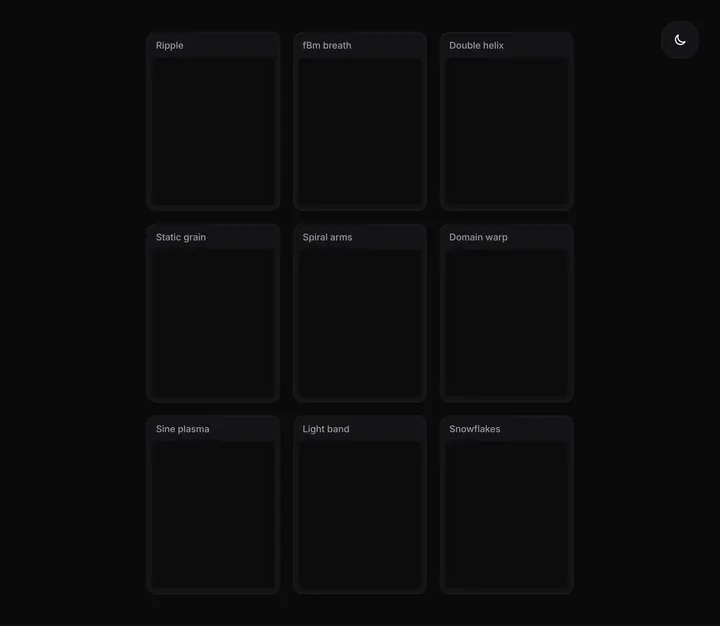
Vor dem Erscheinen des Bildes füllt ein quadratisches Punktraster mit standardmäßig 20px Punktabstand den Rahmen. Radius und Deckkraft jedes Punkts werden in Echtzeit per Funktion aus seinem Mittelpunkt berechnet und zu den Rändern hin über eine weiche Vignette abgedunkelt; im Dunkelmodus tragen leuchtende Punkte ein sanftes Halo, während am Rahmenrand eine innere und eine äußere Glimmschicht gegenläufig rotierend atmen. Die 9 Wartemuster gliedern sich in drei Gruppen:
- Rauschmuster: fBm breath schichtet vier Oktaven Fraktalrauschen zu wolkenartig wogenden Hell-Dunkel-Feldern und bildet zugleich das Fundament der übrigen Muster; Domain warp verschiebt ein Rauschfeld durch ein zweites und driftet in eine Richtung, sodass der Eindruck ziehenden Rauchs entsteht.
- Geometrische Muster: Ripple sendet konzentrische Wellen aus der Mitte, Spiral arms dreht drei Spiralarme, Sine plasma überlagert die Interferenz vierer Sinuswellen, Light band lässt alle 3,3 Sekunden ein weiches Lichtband diagonal durchlaufen, Double helix spannt eine rotierende Doppelhelix samt Querverbindungen quer durch den Rahmen, und Snowflakes lässt sechsarmig verzweigte Schneeflocken zusammen mit feinem Ein-Punkt-Schnee langsam drehend herabsinken (jeder Arm misst mindestens 4 Punktabstände, damit die Verzweigungen auch in kleinen Rahmen klar lesbar bleiben). Alle geometrischen Muster mischen leichtes Grundrauschen hinzu, damit feine Helligkeitsunterschiede zwischen den Punkten erhalten bleiben und der Eindruck „wird gerade generiert“ lebendig wirkt.
- Zufallsmuster: Static grain blendet jeden Punkt mit eigener Phase weich zwischen zufälligen Helligkeitswerten über (rund 2,5-mal pro Sekunde) – das erinnert an das Schneerauschen alter Röhrenfernseher, vermeidet aber hartes Flackern.
Erscheinen: 9 Übergänge
Jedes Wartemuster besitzt einen standardmäßig zugeordneten Bildübergang, doch lassen sich alle Punktraster und Übergänge frei miteinander kombinieren – Halftone, Dissolve, Denoise und Cells passen dabei fast überall:
| Übergang | Standard-Punktraster | Art der Enthüllung |
|---|---|---|
| Fisheye (Fischauge) | Ripple | Ein Kreis öffnet sich aus der Mitte; darin wölbt sich das Bild erst fischaugenartig und glättet sich mit wachsendem Radius |
| Halftone (Rasterpunkt-Wachstum) | fBm breath | Die Punkte nehmen zuerst die lokale Durchschnittsfarbe an und wachsen zusammen, bevor sich das Bild in der zweiten Hälfte scharfstellt |
| Unzip (Aufziehen) | Double helix | Öffnet sich wellenförmig von der horizontalen Mittellinie nach oben und unten; die Kanten schwingen mit der Helix und ziehen sich am Ende gerade |
| Denoise (Entrauschen) | Static grain | Stark weichgezeichnetes Bild samt 24-mal pro Sekunde wechselndem Korn klärt sich schrittweise – wie rückwärts laufendes Diffusions-Entrauschen |
| Spiral (Spiralblende) | Spiral arms | Ein einzelner Spiralarm dreht sich aus der Rahmenmitte und wischt das Bild frei |
| Dissolve (Auflösen) | Domain warp | Blendet entlang einer weichen Rauschtextur Stück für Stück sanft ein, mit natürlich fließenden Übergangskanten |
| Interference (Interferenz) | Sine plasma | Nutzt ein stetig fließendes Interferenzfeld aus vier Sinuswellen als Schwellenwert für die Enthüllung |
| Stream (Zeilenaufbau) | Light band | Baut das Bild Zeile für Zeile von oben nach unten auf, begleitet von einem 2px bis 16px hohen progressiven Blockstreifen über der Front |
| Cells (Zellblüte) | Snowflakes | Unterteilt die Fläche in ein Voronoi-Gitter, aus dessen Zellzentren das Bild in der ersten Hälfte zu zufälligen Zeitpunkten rund aufblüht |
Halftone, Denoise und Cells schicken beim Erscheinen zusätzlich eine Schockwelle aus der Mitte nach außen: Die Ringzone dehnt das Bild außen leicht, staucht es innen und legt ein zurückhaltendes vierfarbiges Glimmen ausschließlich über bereits enthüllte Bildbereiche, ohne je das noch offene Punktraster anzuleuchten.
Gemeinsame Details aller Übergänge
- Sanftes Einzoomen und Scharfstellen: Der Übergang dauert standardmäßig 1,4 Sekunden mit schnellem Einstieg und langem Auslaufen. Das Bild startet um 10% vergrößert und leicht weichgezeichnet und gleitet ruhig in Originalgröße und volle Schärfe (Halftone und Denoise regeln ihren Schärfeverlauf selbst, daher entfällt dort zusätzlicher Blur), während der Rahmen selbst fest stehen bleibt.
- Glasbrechung an den Kanten: Ein 26px breiter Innenrand wirkt wie geschliffenes Glas und tastet das Bild leicht nach innen versetzt ab (am äußersten Rand standardmäßig bis zu 12px); auch die 20px direkt hinter der Enthüllungsfront brechen das Bild mit sanftem Wogen, das kurz vor Schluss abklingt.
- Dispersion folgt der Verformung: Nur dort, wo Brechung Pixel tatsächlich verschiebt, wird der Abtastversatz für Rot und Blau um jeweils ±30% gespreizt; ruhige, unverzerrte Flächen spalten niemals Farben auf, und die Enthüllungsfront trägt lediglich eine feine weiße Lichtlinie statt harter Farbränder.
- Dekodierung und Zeitgrenzen: Der Übergang startet erst nach abgeschlossener Bilddekodierung (
image.decode()); nach dem Prinzip aus 017 Ladezustände überspringen Antworten unter 300ms das Punktraster und blenden direkt ein, um kurzes Aufblitzen zu vermeiden; mehrere gleichzeitig generierte Bilder (etwa im 3×3-Raster) treffen mit unregelmäßig gestaffelten Verzögerungen ein; schlägt die Anfrage fehl, hält das Punktraster an, nennt den Grund und bietet einen neuen Versuch an.
Performance und Live-Parameter
Die Helligkeit jedes Punkts wird vorab in eine winzige „Ein-Punkt-pro-Pixel“-Textur geschrieben, die beim Zeichnen in voller Rahmengröße nur noch ausgelesen wird, statt Rauschen für jedes einzelne Bildschirmpixel zu berechnen; auch die statische Dissolve-Maske entsteht einmalig beim Start in halber Auflösung und wird wiederverwendet. Das Canvas deckt ausschließlich den Bildrahmen ab, begrenzt die Pixeldichte auf maximal 2× und pausiert außerhalb des Viewports; sobald das Bild vollständig zur Ruhe gekommen ist, zeichnet es den letzten Frame und beendet die Schleife – im Ruhezustand entsteht null GPU-Last. Ist im System „Bewegung reduzieren“ aktiv, empfiehlt es sich, Atmung, Zoom, Brechung, Dispersion und Schockwelle abzuschalten; übrig bleiben dann ein statisches Punktraster und ein weiches Einblenden über 200ms.
Atemtempo, Übergangsdauer, Punktabstand, Punktgröße, Rauschskala, Zoom, Unschärfe, Dispersion, Randbrechung und Dunkelmodus-Halo liegen sämtlich auf Schiebereglern; jedes Punktraster speichert eigene Standardwerte, die sich per Doppelklick auf eine Zeile oder über Zurücksetzen wiederherstellen lassen.
An die KI übergeben
Der folgende Prompt analysiert zunächst den bestehenden Bildgenerierungs-Ablauf und Rendering-Stack deines Projekts und klärt Schritt für Schritt mit dir Einsatzorte, die Kombination aus Punktraster und Übergang sowie die Sichtbarkeit des Regler-Panels; nach deiner Freigabe setzt er alles passend zur Plattform samt GPU-freiem Fallback um, während Layout, Farbgebung und Texte deines Produkts unverändert bleiben.
Build the wait and the arrival for generated images in my product. While an image is being made, its box shows a grid of dots that breathe in one of nine loading patterns, under a status line with a moving sheen. When the image is ready it comes in through the dots in one of nine reveals, enlarged and soft at first and settling sharp, its edges bending like glass, with a colour split where the picture bends; three of the reveals also send a shockwave across it. Any pattern can be paired with any reveal. A settings panel shows the key numbers as sliders, set to the defaults below, so they can be tuned live.

Every value here comes from a working demo and is a default, not a requirement. Build it with these values first, then let me tune them with the panel (section 9).

Before building, look at my project (section 0) and ask me these, one at a time, with the recommended answer marked:
1. Where it goes: every place a generated image appears (recommended; list them), or the ones I name.
2. Which pattern and reveal: one pair everywhere (recommended: fBm breath with Halftone grow, or let me pick from section 3 and 5), a pair per place, or a different pair for each new image.
3. The settings panel: only in development (recommended), behind a toggle, or for everyone.
Then sum up my answers, say how you will build it on my platform (section 10), and wait for my go-ahead.

0. Start from what exists
- Find how images are generated and shown: where a request starts, where the result arrives (URL, blob, base64 or stream), whether progress or a partial image is reported, and the component that draws the image box.
- Find how the project draws (DOM, canvas, WebGL, a native view tree), its framework and versions, its slider components, its dark mode and its reduced-motion setting.
- Tell me in a few lines what you found before asking.

1. Timing
- The pass: the dots fade in over 500ms; the status line reads "Making the first draft…", then "Refining the details…" after 1.3s, and "Done" once the image is decoded and starts to come in. Use my product's own wording and language if it has some.
- The reveal starts when the image is decoded (await image.decode() or its equivalent), never on the network response alone. It runs 1400ms with cubic-bezier(0.16, 1, 0.3, 1): fast in, a long settle. Call its progress R, 0 to 1, eased.
- If the image is ready within 300ms of the request, skip the dots and just fade it in, or the loading state flashes. If the request fails, stop the dots where they are, say what happened and offer a retry.
- Several images at once (a batch or a grid): each comes in after its own delay, picked unevenly, for example 0, 560, 220, 820, 380, 1040, 120, 700, 300ms across a 3 x 3 grid, so they arrive at uneven moments rather than together or as a sweep.

2. The box and the dots
- The image box has the image's own proportions and rounded corners (14px in a 600 x 772 card, the card 28px, concentric). Above it sits the status line, 20px type, in a dim ink; a 96px window of full ink, soft at both ends, crosses the text every 1.7s. Move the window and a copy of the text inside it in opposite directions as transforms, so the text never repaints.
- Dots on a square grid, pitch 20px, centred in the box. Each dot's value v (0 to 1) comes from its loading pattern (section 3), worked out once per dot, not per pixel. The dot's radius goes from 0.55px to 15% of the pitch with v, its opacity from 0.1 to 1. A vignette dims the dots near the box's edge: 0.45 + 0.55 * smoothstep(8, 72, distance to the edge).
- Dot glow (dark theme only): a soft halo round each lit dot, a Gaussian of sigma 0.3 * pitch, strength v^2, summed over the dot's own cell and its eight neighbours so halos cross cells without a seam.
- Edge glow while loading (dark theme only), in two layers set apart so they never swell together. Outer: a wide haze (exp(-d / 12)) and a thin line on the rim (exp(-d / 2.5)), d the distance in from the box's edge, breathing every 2.4s, with two brighter arcs turning clockwise once in 8s. Inner: a soft band about 6px in (a Gaussian 3.5px wide) plus a faint wide haze, breathing every 3.7s from the opposite point of its swell, with three arcs turning anticlockwise once in 11s. Both fade out over the first third of the reveal.
- Light theme: dark dots on a pale box, no glows, a softer rim on the reveals.

3. The nine loading patterns
All take p, the dot's centre in px, and t, the breathing clock in seconds (scaled by the Breathing slider, so changing speed never jumps). n is value noise in fBm: four octaves, each at twice the frequency and half the amplitude, read at p / scale (scale 180px) and t * 0.32.
- Ripple: rings from the centre, w = 0.5 + 0.5 * sin(r * 5.2 * PI / 2 - 2.6t), r = |p - centre| / scale; v = smoothstep(0.15, 0.85, mix(n, w, 0.6) * (0.55 + 0.6n)).
- fBm breath: v = smoothstep(0.28, 0.74, n). The base the others build on.
- Double helix: two strands lying across the box and turning, y = ±72 * sin(x / 44 - 1.8t) (in units of the box's height / 306), each a Gaussian 10 wide, the nearer one brighter (by cos of the phase), with base pairs on every second column between them.
- Static grain: each dot eases from one random level to the next about 2.5 times a second, on its own offset, mixed 42% over n. Ease between levels (smoothstep), or it blinks.
- Spiral arms: three arms, s = 0.5 + 0.5 * sin(3θ + 5.5r - 2.2t); v = smoothstep(0.12, 0.85, mix(n, s, 0.55) * (0.6 + 0.5n)).
- Domain warp: the noise read at a point pushed far by more noise, the whole drifting one way so it streams like smoke: drift = (0.22t, -0.1t); w = (fbm(q * 1.1 + drift), fbm(q * 1.1 + drift + 5.2)); v = smoothstep(0.34, 0.7, fbm(q + 4(w - 0.5) + 1.6 drift)).
- Sine plasma: four sines summed, sin(2.6x + 0.9t) + sin(3.1y - 1.1t) + sin(2.2(x + y) + 0.7t) + sin(4.4r - 1.5t), x, y in noise cells; v = smoothstep(0.2, 0.8, mix(0.5 + 0.125 * sum, n, 0.35)).
- Light band: a Gaussian band, 0.15 wide, sweeping diagonally across every 3.3s over half-strength noise.
- Snowflakes: six-armed flakes, each arm with a branch at half its length, one to a square of side z = max(0.27 * box height, 11 * pitch), placed at random in it, with an arm 0.37 to 0.5 z long, turning slowly as they fall (18px/s) with a little sway; behind them single-dot snow, one grain to a square of 0.4z, falling twice as fast at 35 to 60% brightness; noise at 12% beneath. Fold the angle into one twelfth of a turn so one arm and its branch, drawn once, make all six. Keep a flake's arm at least four dots long, or it reads as a blob.

4. How every image comes in
These apply to all nine reveals.
- Zoom in: the picture is read about the box's centre at 1 + 0.10 * (1 - R), so it arrives 10% enlarged and settles to its own size. The box itself never scales.
- Blur in: read the picture 3 mip levels softer at the start, easing to sharp: bias = 3 * (1 - R)^0.8. Halftone and Denoise blur on their own; skip it there.
- Edge bend: the box's rounded edge acts like the bevel of a glass slab. In the last 26px, read the picture from further in by bend * 2 * (1 - R)^0.7 * (1 - d / 26)^2 px (bend 6), so it stretches toward the edge; the edge itself stays put. Along a reveal's own front, the 20px just inside it bend the same way, by bend * exp(-(d / 14)^2), with a slow noise wobble of ±67% along the front, fading out as R passes 0.85.
- Dispersion: wherever the picture is read from a moved place, read red from 30% further along the move and blue from 30% less. Colour then splits only where the picture bends, never where it holds still. Do not draw a coloured outline on the edge; the split belongs to the picture.
- A thin white line rides each front (strength 0.55 on dark, 0.22 on light), fading as R passes 0.85.

5. The nine reveals
Each opens the picture over the dots by a mask a; R is the eased progress.
- Fisheye lens: a circle grows from the centre to cover the box (front = 1.3R - 0.1 of the half-diagonal). Inside, the picture bulges like a fisheye (read at centre + d * (1 - k + k * u^2), u = distance / front, k = 0.5(1 - R)), a damped wave runs behind the edge, and red and blue split toward the rim; all of it relaxes to flat.
- Halftone grow: each dot takes the picture's colour averaged over its cell and swells to half the pitch, until the circles touch; then the picture focuses in from 4.5 mip levels soft over the second half.
- Unzip: opens from the middle outward, |y| < R * (half height + 30px) + 22 * sin(x / 44 - 1.8t) * (1 - R) (the wave in the helix's units, box height / 306), so its edges wave with the strands until they settle straight.
- Denoise: the picture from 6 mip levels soft to sharp, (1 - R)^1.4, under 1.5px grain of ±45% * (1 - R)^2 that refreshes 24 times a second: diffusion run backwards.
- Spiral wipe: one arm sweeps out from the centre: key = 0.72 * r / half-diagonal + 0.28 * angle / 2PI; open where key < 1.12R - 0.06.
- Noise dissolve: a smooth two-octave noise map, drawn once at half size; open where it is below 1.3R - 0.15, with a soft edge of ±0.03.
- Interference wipe: the same four-sine sum as Sine plasma as a threshold map, still moving; open where it is below 1.25R - 0.1.
- Top-down stream: rows arrive from the top (front at 1.22R - 0.06 of the height); the band of 16% just above the front is still coarse, in blocks of 2px where it meets the finished rows growing to 16px at the front, the way a streamed image fills in.
- Cell bloom: Voronoi cells about a fifth of the box's height; each starts at a random moment in the first 55% of R and opens as a circle growing from its seed.

Shockwave (on Halftone grow, Denoise and Cell bloom): as the image comes in, a ring runs out from the centre to 1.25 x the half-diagonal, 0.12 x the half-diagonal wide. With x = (distance - ring radius) / width and z = 0.75x, the picture is pushed outward by bend * 1.6 * 2.33 * z * exp(-z^2) * A (it stretches beyond the ring and squeezes behind it), with the same dispersion, and A = smoothstep(0, 0.08, R) * (1 - smoothstep(0.55, 1, R)). A faint glow rides the ring in four colours blending softly, inside to out #508CFF, #A06EFF, #FF6EB4, #FFBE8C, strength A * exp(-0.5x^2) * 0.16 on dark (screen: added light) and 0.12 on light (a tint), only on the part of the image already in, never on the dots.

6. Pairing patterns and reveals
- Each pattern has a reveal it suits: Ripple with Fisheye lens, fBm breath with Halftone grow, Double helix with Unzip, Static grain with Denoise, Spiral arms with Spiral wipe, Domain warp with Noise dissolve, Sine plasma with Interference wipe, Light band with Top-down stream, Snowflakes with Cell bloom. Any pattern still works with any reveal; Halftone, Dissolve, Denoise and Cell bloom are the most general.
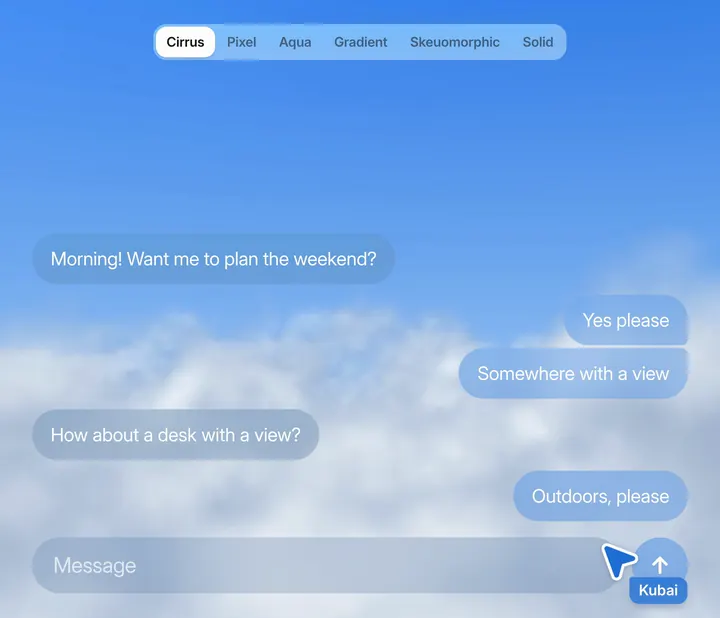
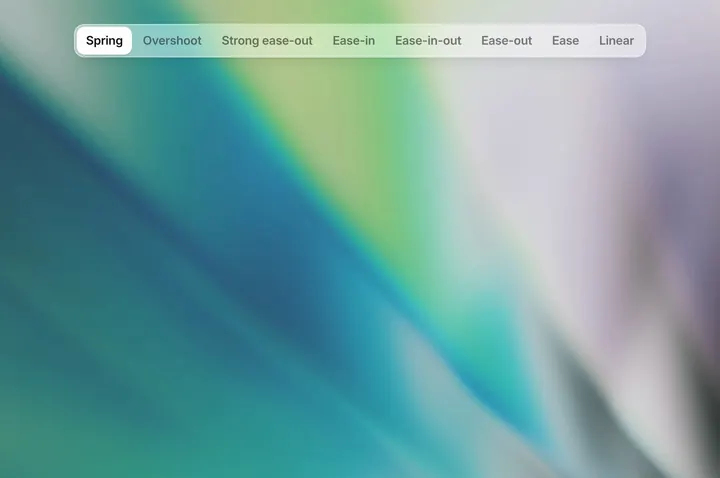
- If my product shows a gallery of the options (a picker or a settings page), show the patterns as tabs and the reveals in a row beneath, each wired to its pattern by a faint S-curve. As an image comes in, a bright run draws down its wire from the pattern to the reveal, with a dot at its head, and the reveal's name lights up with it (brightness p^2).

7. Theme
- Dark: page #0b0b0c, card #161618, box #0e0e0f, dots #f2f2f2. Light: page #f7f7f7, card #ffffff, box #f4f4f4, dots #1c1c1c. Use my product's own colours if it has them; keep the dots neutral.
- The theme crossfades over 480ms; the dots, box and glows follow it.

8. Keep it cheap
- Work the pattern out once per dot into a small texture (one texel per dot), then draw the box at full size and only read it back. Never evaluate noise per pixel.
- Masks that never change (the dissolve map) are drawn once at start, at half size.
- Once an image is fully in and not fading, draw it once and stop; such a frame does no GPU work.
- The canvas covers only the image boxes, at no more than 2x pixel density. Nothing draws while the box is off screen.
- Reduced motion: no breathing (a still pattern), no zoom, bend, dispersion or shockwave; the image fades in over 200ms.

9. The settings panel
- One row per number: its name, a slider and its value with the unit. Moving a slider updates the picture at once. Each pattern keeps its own values (the tab on show sets the panel); double-clicking a row puts it back to the pattern's default, and a Reset button, shown only once something has moved, puts the whole pattern back.
- Rows and defaults: Breathing 100% (0–300), Reveal time 1400ms (400–3000), Dot pitch 20px (12–36), Dot size 15% (5–30), Noise scale 180px (80–360), Zoom in 10% (0–30), Blur in 50% (0–100), Dispersion 30% (0–100), Edge bend 6px (0–20), Edge glow 30% (0–100, dark only), Dot glow 40% (0–100, dark only), and the theme (Auto, Dark, Light).
- Per-pattern defaults on top of those: fBm breath reveal 1600, zoom 8, blur 30, bend 8; Domain warp scale 220, breathing 120, reveal 1600, blur 70; Snowflakes pitch 15, dot 14, reveal 1800, dispersion 35, bend 8; Ripple breathing 90, reveal 1600, zoom 6, dispersion 35; Light band breathing 110, reveal 1300, zoom 8, bend 8; Sine plasma scale 200, reveal 1600; Double helix pitch 18, breathing 110, dispersion 25; Static grain pitch 16, dot 13, reveal 1800, zoom 12, blur 30, dispersion 25, bend 8; Spiral arms breathing 120, reveal 1500, dispersion 35.
- Use my slider component if I have one; otherwise a plain range input with a filled track, an upright handle and a number box beside it.

10. How to build it, by platform
These are suggestions; check them against my stack and versions.
- Web (as in the demo): one WebGL 2 canvas over the image boxes. Pass 1 draws the pattern into a texture of one texel per dot; pass 2 draws each box with its viewport set to the box, reading that texture, the picture (with mipmaps, for the blur and the halftone colours) and the masks. One requestAnimationFrame loop for every box on the page. Keep the status line in the DOM.
- iOS: Metal (MTKView) with the same two passes, or SwiftUI on iOS 17+: a colorEffect for the dots and a layerEffect for the reveal, bend and dispersion.
- Android: on API 33+, AGSL RuntimeShader in Compose (graphicsLayer with RenderEffect); otherwise OpenGL ES 3.
- Flutter: FragmentProgram shaders, the dot texture drawn with a CustomPainter. React Native: react-native-skia RuntimeEffect.
- Without a GPU path: draw the dots on a 2D canvas (one arc per dot), and reveal the image with CSS: a mask-image for the shape, transform: scale for the zoom and filter: blur for the softness; leave out the bend, dispersion and shockwave.

11. Check
- Each pattern reads as itself on a small box as well as a large one (the snowflakes as six-armed flakes, the helix as two strands).
- The image starts to come in only once decoded; a fast image skips the dots; a failure stops them and says why.
- On arrival the picture is enlarged and soft and settles sharp; its edges bend and split colour only where they move; the white front line is plain, never coloured.
- The shockwave's glow stays faint and never lights the dots.
- Every slider changes the picture at once; each pattern keeps its own values; Reset restores them.
- 60 fps on a mid-range phone with several boxes loading; no GPU work once the images are in; light and dark, reduced motion and keyboard use of the panel all checked.