








Image Loading
Hiệu ứng lưới điểm chờ và hiện ảnh khi tạo ảnh AI
Thay vòng xoay đơn điệu khi tạo ảnh bằng 9 lưới điểm thở theo hàm, kết hợp 9 hiệu ứng hiện ảnh có khúc xạ mép kính và tán sắc, cho phép phối tự do và tinh chỉnh thông số trực tiếp.
Tạo ảnh bằng AI thường mất vài giây hoặc lâu hơn để chờ đợi. Nếu chỉ đặt một biểu tượng xoay tròn giữa khung trống, khoảng chờ sẽ trở nên lê thê và tẻ nhạt; đến khi tạo xong lại cắt thẳng sang ảnh gốc thì chuyển cảnh quá đột ngột. Hãy thiết kế lúc chờ và lúc hiện ảnh như một trải nghiệm liền mạch duy nhất — trong lúc tạo, phủ lên khung một lưới điểm nhịp nhàng thở theo hàm toán học kèm dòng trạng thái có vệt sáng lướt qua phía trên; khi ảnh sẵn sàng, hình ảnh trực tiếp hiện hình từ chính lưới điểm đó rồi ổn định nét, tạo sự tiếp nối tự nhiên từ đầu đến cuối.
Chờ đợi: để lưới điểm nhịp thở
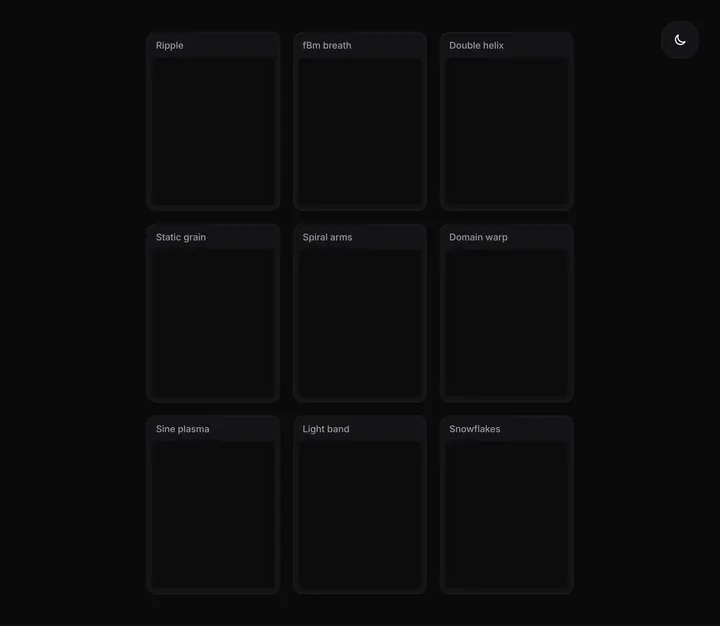
Trước khi ảnh xuất hiện, bên trong khung xếp một lưới điểm vuông có bước điểm mặc định 20px; bán kính và độ mờ của từng điểm được hàm tính trực tiếp theo tâm điểm và làm tối nhẹ dần về bốn mép. Ở chế độ tối, các chấm sáng có quầng hào quang dịu còn viền khung có hai lớp ánh sáng nhịp thở trong — ngoài xoay ngược chiều nhau. 9 kiểu lưới điểm chờ chia làm ba nhóm:
- Nhóm nhiễu (noise): fBm breath chồng bốn tầng nhiễu phân dạng, sáng tối phập phồng chậm rãi như tầng mây và cũng là nền cho các hiệu ứng còn lại; Domain warp dùng một tầng nhiễu đẩy lệch tầng nhiễu khác rồi trôi về một hướng, tạo cảm giác như làn khói cuộn chảy.
- Nhóm hình học: Ripple lan tỏa gợn sóng đồng tâm từ chính giữa, Spiral arms xoay ba nhánh xoắn ốc, Sine plasma chồng bốn dải sóng sin giao thoa, Light band cứ mỗi 3,3 giây lại quét chéo một dải sáng dịu, Double helix vắt ngang khung hình chuỗi xoắn kép đang xoay kèm các vạch nối giữa hai mạch, còn Snowflakes thả những bông tuyết sáu nhánh phân cành xoay chậm rơi xuống cùng bụi tuyết đơn điểm (mỗi nhánh dài tối thiểu 4 bước điểm để khung nhỏ vẫn nhìn rõ dáng cành). Mọi kiểu hình học đều pha thêm một lớp nhiễu mỏng giúp độ sáng giữa các điểm có độ chênh tinh tế, sát với trạng thái “đang tạo” hơn.
- Nhóm ngẫu nhiên: Static grain cho từng điểm nội suy mượt giữa các mức sáng ngẫu nhiên theo pha riêng (đổi khoảng 2,5 lần mỗi giây), gợi chất liệu nhiễu hạt của màn hình tivi cũ mà không gây nhấp nháy gắt.
Hiện ảnh: 9 kiểu chuyển cảnh
Mỗi lưới điểm chờ đều gắn sẵn một kiểu chuyển cảnh mặc định, nhưng bất kỳ lưới điểm nào cũng có thể ghép tự do với bất kỳ chuyển cảnh nào — trong đó Halftone, Dissolve, Denoise và Cells dễ phối hợp nhất:
| Chuyển cảnh | Lưới điểm mặc định | Cách hiện hình |
|---|---|---|
| Fisheye (mắt cá) | Ripple | Vùng tròn mở rộng từ tâm, hình ảnh bên trong phồng lên kiểu mắt cá rồi phẳng dần khi lan rộng |
| Halftone (chấm tram nở rộng) | fBm breath | Các chấm tròn nhuốm màu trung bình của vùng tương ứng rồi phình to chạm nhau, nửa sau gom nét từ mờ sang rõ |
| Unzip (kéo mở) | Double helix | Tách mở dạng sóng từ đường giữa ngang về hai phía trên dưới, mép uốn lượn theo xoắn kép rồi duỗi thẳng |
| Denoise (khử nhiễu) | Static grain | Ảnh mờ nhòe phủ lớp hạt động làm mới 24 lần mỗi giây rồi tan dần, giống quá trình khử nhiễu khuếch tán ngược |
| Spiral (quét xoắn ốc) | Spiral arms | Một nhánh xoắn ốc duy nhất xoay từ tâm khung quét mở toàn bộ bức ảnh |
| Dissolve (hòa tan) | Domain warp | Hiện dần từng mảng theo bản đồ nhiễu mượt, đường ranh giới chuyển tiếp tự nhiên |
| Interference (giao thoa) | Sine plasma | Lấy trường giao thoa bốn sóng sin đang chuyển động liên tục làm ngưỡng hiện hình |
| Stream (tải từng dòng) | Light band | Tiến từng dòng từ trên xuống dưới, giữ dải khối màu chuyển tiếp rộng 2px đến 16px ngay phía trên mép dẫn |
| Cells (tế bào bung nở) | Snowflakes | Chia vùng theo mạng tinh thể Voronoi, nửa đầu bung nở tròn trịa từ tâm từng ô ở các thời điểm ngẫu nhiên |
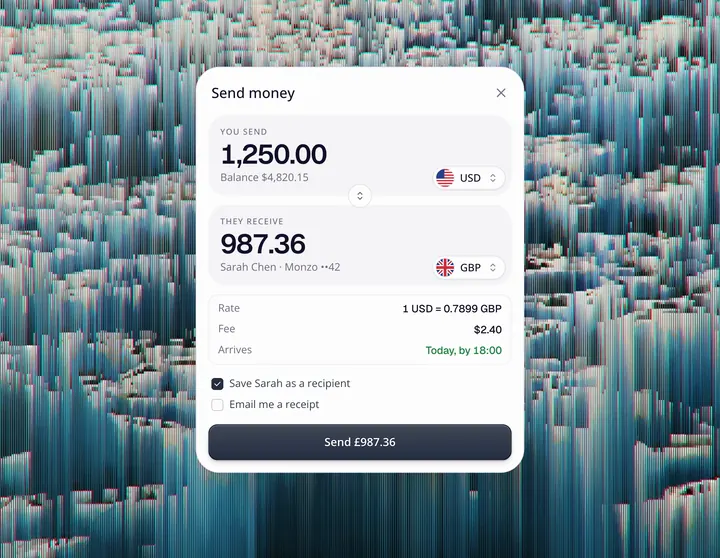
Riêng Halftone, Denoise và Cells khi hiện ảnh còn đẩy một vòng sóng xung kích lan từ tâm ra ngoài — rìa ngoài vòng hơi giãn nhẹ, rìa trong hơi nén lại — đồng thời phủ lớp ánh sáng dịu bốn màu tiết chế lên đúng phần ảnh đã lộ diện, tuyệt đối không rọi sáng vùng lưới điểm chưa hiện.
Chi tiết chung ở mọi kiểu hiện ảnh
- Phóng nhẹ và lấy nét êm: Quá trình hiện ảnh mặc định dài 1,4 giây theo đường cong nhanh đầu, lắng chậm về cuối. Ảnh đi vào ở trạng thái phóng to 10% kèm mờ nhẹ rồi dần hạ về đúng kích thước gốc và sắc nét hẳn (Halftone và Denoise đã có bước chuyển độ nét riêng nên không chồng thêm làm mờ), trong khi bản thân khung viền đứng yên.
- Khúc xạ mép kính: Vùng 26px sát mép trong khung hoạt động như cạnh kính vát, lấy mẫu kéo nhẹ hình ảnh từ phía trong ra (mặc định lệch tối đa 12px ở sát mép); dải 20px ngay phía trong đường ranh giới đang hiện cũng khúc xạ gợn nhẹ và phẳng lại khi gần kết thúc.
- Tán sắc đi theo biến dạng: Chỉ tại những vùng hình ảnh bị dịch chuyển khúc xạ mới tăng và giảm 30% độ lệch lấy mẫu của kênh đỏ và kênh xanh lam; vùng tĩnh phẳng tuyệt đối không tách màu, và mép dẫn hiện ảnh cũng chỉ giữ một đường sáng trắng mảnh thay vì viền màu cứng.
- Giải mã và ranh giới thời gian: Chỉ bắt đầu chuyển cảnh sau khi ảnh đã giải mã xong (
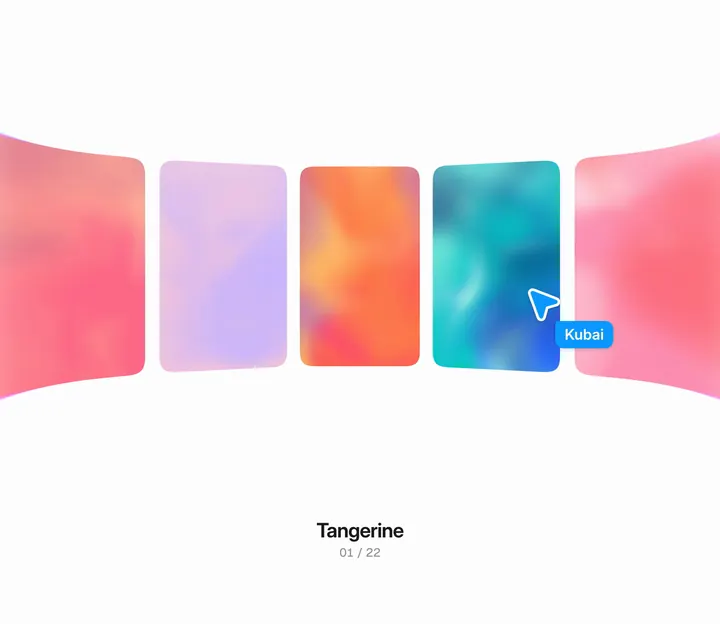
image.decode()); tiếp nối nguyên tắc của 017 Trạng thái chờ tải, ảnh trả về trong vòng 300ms sẽ bỏ qua lưới điểm và hiện mờ trực tiếp để tránh chớp nháy; khi tạo nhiều ảnh cùng lúc (như lưới 3×3), cho từng ảnh vào theo độ trễ lệch nhịp nhau; nếu yêu cầu thất bại thì dừng lưới điểm tại chỗ, nêu rõ nguyên nhân và kèm nút thử lại.
Hiệu năng và tinh chỉnh thông số
Độ sáng của mỗi chấm tròn được tính trước vào một texture nhỏ “một chấm một điểm ảnh”, khi vẽ khung kích thước thật chỉ việc đọc lại chứ không tính nhiễu trên từng điểm ảnh toàn màn hình; mặt nạ hòa tan tĩnh cũng chỉ vẽ một lần ở nửa kích thước lúc khởi tạo để tái sử dụng. Canvas chỉ phủ đúng khung ảnh, giới hạn mật độ điểm ảnh tối đa 2× và tạm dừng vẽ ngay khi cuộn khuất khỏi khung nhìn; sau khi ảnh ổn định hoàn toàn và vẽ xong khung hình cuối sẽ dừng hẳn vòng lặp, tốn 0 tài nguyên GPU ở trạng thái nghỉ. Khi hệ thống bật “Giảm chuyển động”, nên tắt nhịp thở, phóng thu, khúc xạ, tán sắc và sóng xung kích, chuyển về lưới điểm tĩnh kèm hiện mờ 200ms.
Tốc độ thở, thời lượng hiện ảnh, bước điểm, cỡ điểm, tỉ lệ nhiễu, độ phóng, độ mờ, tán sắc, khúc xạ mép và quầng sáng nền tối đều mở thành thanh trượt trực tiếp; mỗi kiểu lưới điểm lưu riêng bộ thông số mặc định, nhấp đúp vào từng dòng hoặc bấm đặt lại là khôi phục ngay.
Giao việc cho AI
Prompt bên dưới sẽ rà soát trước luồng tạo ảnh và nền tảng hiển thị sẵn có trong dự án, lần lượt xác nhận với bạn phạm vi áp dụng, cặp lưới điểm và chuyển cảnh cũng như quyền hiển thị bảng thông số; sau khi thống nhất sẽ triển khai theo năng lực nền tảng kèm phương án dự phòng khi không có GPU, giữ nguyên bố cục, bảng màu và câu chữ gốc của sản phẩm.
Build the wait and the arrival for generated images in my product. While an image is being made, its box shows a grid of dots that breathe in one of nine loading patterns, under a status line with a moving sheen. When the image is ready it comes in through the dots in one of nine reveals, enlarged and soft at first and settling sharp, its edges bending like glass, with a colour split where the picture bends; three of the reveals also send a shockwave across it. Any pattern can be paired with any reveal. A settings panel shows the key numbers as sliders, set to the defaults below, so they can be tuned live.

Every value here comes from a working demo and is a default, not a requirement. Build it with these values first, then let me tune them with the panel (section 9).

Before building, look at my project (section 0) and ask me these, one at a time, with the recommended answer marked:
1. Where it goes: every place a generated image appears (recommended; list them), or the ones I name.
2. Which pattern and reveal: one pair everywhere (recommended: fBm breath with Halftone grow, or let me pick from section 3 and 5), a pair per place, or a different pair for each new image.
3. The settings panel: only in development (recommended), behind a toggle, or for everyone.
Then sum up my answers, say how you will build it on my platform (section 10), and wait for my go-ahead.

0. Start from what exists
- Find how images are generated and shown: where a request starts, where the result arrives (URL, blob, base64 or stream), whether progress or a partial image is reported, and the component that draws the image box.
- Find how the project draws (DOM, canvas, WebGL, a native view tree), its framework and versions, its slider components, its dark mode and its reduced-motion setting.
- Tell me in a few lines what you found before asking.

1. Timing
- The pass: the dots fade in over 500ms; the status line reads "Making the first draft…", then "Refining the details…" after 1.3s, and "Done" once the image is decoded and starts to come in. Use my product's own wording and language if it has some.
- The reveal starts when the image is decoded (await image.decode() or its equivalent), never on the network response alone. It runs 1400ms with cubic-bezier(0.16, 1, 0.3, 1): fast in, a long settle. Call its progress R, 0 to 1, eased.
- If the image is ready within 300ms of the request, skip the dots and just fade it in, or the loading state flashes. If the request fails, stop the dots where they are, say what happened and offer a retry.
- Several images at once (a batch or a grid): each comes in after its own delay, picked unevenly, for example 0, 560, 220, 820, 380, 1040, 120, 700, 300ms across a 3 x 3 grid, so they arrive at uneven moments rather than together or as a sweep.

2. The box and the dots
- The image box has the image's own proportions and rounded corners (14px in a 600 x 772 card, the card 28px, concentric). Above it sits the status line, 20px type, in a dim ink; a 96px window of full ink, soft at both ends, crosses the text every 1.7s. Move the window and a copy of the text inside it in opposite directions as transforms, so the text never repaints.
- Dots on a square grid, pitch 20px, centred in the box. Each dot's value v (0 to 1) comes from its loading pattern (section 3), worked out once per dot, not per pixel. The dot's radius goes from 0.55px to 15% of the pitch with v, its opacity from 0.1 to 1. A vignette dims the dots near the box's edge: 0.45 + 0.55 * smoothstep(8, 72, distance to the edge).
- Dot glow (dark theme only): a soft halo round each lit dot, a Gaussian of sigma 0.3 * pitch, strength v^2, summed over the dot's own cell and its eight neighbours so halos cross cells without a seam.
- Edge glow while loading (dark theme only), in two layers set apart so they never swell together. Outer: a wide haze (exp(-d / 12)) and a thin line on the rim (exp(-d / 2.5)), d the distance in from the box's edge, breathing every 2.4s, with two brighter arcs turning clockwise once in 8s. Inner: a soft band about 6px in (a Gaussian 3.5px wide) plus a faint wide haze, breathing every 3.7s from the opposite point of its swell, with three arcs turning anticlockwise once in 11s. Both fade out over the first third of the reveal.
- Light theme: dark dots on a pale box, no glows, a softer rim on the reveals.

3. The nine loading patterns
All take p, the dot's centre in px, and t, the breathing clock in seconds (scaled by the Breathing slider, so changing speed never jumps). n is value noise in fBm: four octaves, each at twice the frequency and half the amplitude, read at p / scale (scale 180px) and t * 0.32.
- Ripple: rings from the centre, w = 0.5 + 0.5 * sin(r * 5.2 * PI / 2 - 2.6t), r = |p - centre| / scale; v = smoothstep(0.15, 0.85, mix(n, w, 0.6) * (0.55 + 0.6n)).
- fBm breath: v = smoothstep(0.28, 0.74, n). The base the others build on.
- Double helix: two strands lying across the box and turning, y = ±72 * sin(x / 44 - 1.8t) (in units of the box's height / 306), each a Gaussian 10 wide, the nearer one brighter (by cos of the phase), with base pairs on every second column between them.
- Static grain: each dot eases from one random level to the next about 2.5 times a second, on its own offset, mixed 42% over n. Ease between levels (smoothstep), or it blinks.
- Spiral arms: three arms, s = 0.5 + 0.5 * sin(3θ + 5.5r - 2.2t); v = smoothstep(0.12, 0.85, mix(n, s, 0.55) * (0.6 + 0.5n)).
- Domain warp: the noise read at a point pushed far by more noise, the whole drifting one way so it streams like smoke: drift = (0.22t, -0.1t); w = (fbm(q * 1.1 + drift), fbm(q * 1.1 + drift + 5.2)); v = smoothstep(0.34, 0.7, fbm(q + 4(w - 0.5) + 1.6 drift)).
- Sine plasma: four sines summed, sin(2.6x + 0.9t) + sin(3.1y - 1.1t) + sin(2.2(x + y) + 0.7t) + sin(4.4r - 1.5t), x, y in noise cells; v = smoothstep(0.2, 0.8, mix(0.5 + 0.125 * sum, n, 0.35)).
- Light band: a Gaussian band, 0.15 wide, sweeping diagonally across every 3.3s over half-strength noise.
- Snowflakes: six-armed flakes, each arm with a branch at half its length, one to a square of side z = max(0.27 * box height, 11 * pitch), placed at random in it, with an arm 0.37 to 0.5 z long, turning slowly as they fall (18px/s) with a little sway; behind them single-dot snow, one grain to a square of 0.4z, falling twice as fast at 35 to 60% brightness; noise at 12% beneath. Fold the angle into one twelfth of a turn so one arm and its branch, drawn once, make all six. Keep a flake's arm at least four dots long, or it reads as a blob.

4. How every image comes in
These apply to all nine reveals.
- Zoom in: the picture is read about the box's centre at 1 + 0.10 * (1 - R), so it arrives 10% enlarged and settles to its own size. The box itself never scales.
- Blur in: read the picture 3 mip levels softer at the start, easing to sharp: bias = 3 * (1 - R)^0.8. Halftone and Denoise blur on their own; skip it there.
- Edge bend: the box's rounded edge acts like the bevel of a glass slab. In the last 26px, read the picture from further in by bend * 2 * (1 - R)^0.7 * (1 - d / 26)^2 px (bend 6), so it stretches toward the edge; the edge itself stays put. Along a reveal's own front, the 20px just inside it bend the same way, by bend * exp(-(d / 14)^2), with a slow noise wobble of ±67% along the front, fading out as R passes 0.85.
- Dispersion: wherever the picture is read from a moved place, read red from 30% further along the move and blue from 30% less. Colour then splits only where the picture bends, never where it holds still. Do not draw a coloured outline on the edge; the split belongs to the picture.
- A thin white line rides each front (strength 0.55 on dark, 0.22 on light), fading as R passes 0.85.

5. The nine reveals
Each opens the picture over the dots by a mask a; R is the eased progress.
- Fisheye lens: a circle grows from the centre to cover the box (front = 1.3R - 0.1 of the half-diagonal). Inside, the picture bulges like a fisheye (read at centre + d * (1 - k + k * u^2), u = distance / front, k = 0.5(1 - R)), a damped wave runs behind the edge, and red and blue split toward the rim; all of it relaxes to flat.
- Halftone grow: each dot takes the picture's colour averaged over its cell and swells to half the pitch, until the circles touch; then the picture focuses in from 4.5 mip levels soft over the second half.
- Unzip: opens from the middle outward, |y| < R * (half height + 30px) + 22 * sin(x / 44 - 1.8t) * (1 - R) (the wave in the helix's units, box height / 306), so its edges wave with the strands until they settle straight.
- Denoise: the picture from 6 mip levels soft to sharp, (1 - R)^1.4, under 1.5px grain of ±45% * (1 - R)^2 that refreshes 24 times a second: diffusion run backwards.
- Spiral wipe: one arm sweeps out from the centre: key = 0.72 * r / half-diagonal + 0.28 * angle / 2PI; open where key < 1.12R - 0.06.
- Noise dissolve: a smooth two-octave noise map, drawn once at half size; open where it is below 1.3R - 0.15, with a soft edge of ±0.03.
- Interference wipe: the same four-sine sum as Sine plasma as a threshold map, still moving; open where it is below 1.25R - 0.1.
- Top-down stream: rows arrive from the top (front at 1.22R - 0.06 of the height); the band of 16% just above the front is still coarse, in blocks of 2px where it meets the finished rows growing to 16px at the front, the way a streamed image fills in.
- Cell bloom: Voronoi cells about a fifth of the box's height; each starts at a random moment in the first 55% of R and opens as a circle growing from its seed.

Shockwave (on Halftone grow, Denoise and Cell bloom): as the image comes in, a ring runs out from the centre to 1.25 x the half-diagonal, 0.12 x the half-diagonal wide. With x = (distance - ring radius) / width and z = 0.75x, the picture is pushed outward by bend * 1.6 * 2.33 * z * exp(-z^2) * A (it stretches beyond the ring and squeezes behind it), with the same dispersion, and A = smoothstep(0, 0.08, R) * (1 - smoothstep(0.55, 1, R)). A faint glow rides the ring in four colours blending softly, inside to out #508CFF, #A06EFF, #FF6EB4, #FFBE8C, strength A * exp(-0.5x^2) * 0.16 on dark (screen: added light) and 0.12 on light (a tint), only on the part of the image already in, never on the dots.

6. Pairing patterns and reveals
- Each pattern has a reveal it suits: Ripple with Fisheye lens, fBm breath with Halftone grow, Double helix with Unzip, Static grain with Denoise, Spiral arms with Spiral wipe, Domain warp with Noise dissolve, Sine plasma with Interference wipe, Light band with Top-down stream, Snowflakes with Cell bloom. Any pattern still works with any reveal; Halftone, Dissolve, Denoise and Cell bloom are the most general.
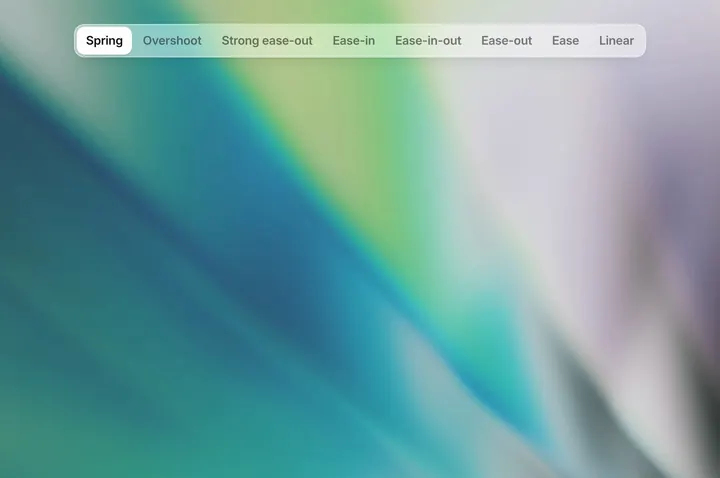
- If my product shows a gallery of the options (a picker or a settings page), show the patterns as tabs and the reveals in a row beneath, each wired to its pattern by a faint S-curve. As an image comes in, a bright run draws down its wire from the pattern to the reveal, with a dot at its head, and the reveal's name lights up with it (brightness p^2).

7. Theme
- Dark: page #0b0b0c, card #161618, box #0e0e0f, dots #f2f2f2. Light: page #f7f7f7, card #ffffff, box #f4f4f4, dots #1c1c1c. Use my product's own colours if it has them; keep the dots neutral.
- The theme crossfades over 480ms; the dots, box and glows follow it.

8. Keep it cheap
- Work the pattern out once per dot into a small texture (one texel per dot), then draw the box at full size and only read it back. Never evaluate noise per pixel.
- Masks that never change (the dissolve map) are drawn once at start, at half size.
- Once an image is fully in and not fading, draw it once and stop; such a frame does no GPU work.
- The canvas covers only the image boxes, at no more than 2x pixel density. Nothing draws while the box is off screen.
- Reduced motion: no breathing (a still pattern), no zoom, bend, dispersion or shockwave; the image fades in over 200ms.

9. The settings panel
- One row per number: its name, a slider and its value with the unit. Moving a slider updates the picture at once. Each pattern keeps its own values (the tab on show sets the panel); double-clicking a row puts it back to the pattern's default, and a Reset button, shown only once something has moved, puts the whole pattern back.
- Rows and defaults: Breathing 100% (0–300), Reveal time 1400ms (400–3000), Dot pitch 20px (12–36), Dot size 15% (5–30), Noise scale 180px (80–360), Zoom in 10% (0–30), Blur in 50% (0–100), Dispersion 30% (0–100), Edge bend 6px (0–20), Edge glow 30% (0–100, dark only), Dot glow 40% (0–100, dark only), and the theme (Auto, Dark, Light).
- Per-pattern defaults on top of those: fBm breath reveal 1600, zoom 8, blur 30, bend 8; Domain warp scale 220, breathing 120, reveal 1600, blur 70; Snowflakes pitch 15, dot 14, reveal 1800, dispersion 35, bend 8; Ripple breathing 90, reveal 1600, zoom 6, dispersion 35; Light band breathing 110, reveal 1300, zoom 8, bend 8; Sine plasma scale 200, reveal 1600; Double helix pitch 18, breathing 110, dispersion 25; Static grain pitch 16, dot 13, reveal 1800, zoom 12, blur 30, dispersion 25, bend 8; Spiral arms breathing 120, reveal 1500, dispersion 35.
- Use my slider component if I have one; otherwise a plain range input with a filled track, an upright handle and a number box beside it.

10. How to build it, by platform
These are suggestions; check them against my stack and versions.
- Web (as in the demo): one WebGL 2 canvas over the image boxes. Pass 1 draws the pattern into a texture of one texel per dot; pass 2 draws each box with its viewport set to the box, reading that texture, the picture (with mipmaps, for the blur and the halftone colours) and the masks. One requestAnimationFrame loop for every box on the page. Keep the status line in the DOM.
- iOS: Metal (MTKView) with the same two passes, or SwiftUI on iOS 17+: a colorEffect for the dots and a layerEffect for the reveal, bend and dispersion.
- Android: on API 33+, AGSL RuntimeShader in Compose (graphicsLayer with RenderEffect); otherwise OpenGL ES 3.
- Flutter: FragmentProgram shaders, the dot texture drawn with a CustomPainter. React Native: react-native-skia RuntimeEffect.
- Without a GPU path: draw the dots on a 2D canvas (one arc per dot), and reveal the image with CSS: a mask-image for the shape, transform: scale for the zoom and filter: blur for the softness; leave out the bend, dispersion and shockwave.

11. Check
- Each pattern reads as itself on a small box as well as a large one (the snowflakes as six-armed flakes, the helix as two strands).
- The image starts to come in only once decoded; a fast image skips the dots; a failure stops them and says why.
- On arrival the picture is enlarged and soft and settles sharp; its edges bend and split colour only where they move; the white front line is plain, never coloured.
- The shockwave's glow stays faint and never lights the dots.
- Every slider changes the picture at once; each pattern keeps its own values; Reset restores them.
- 60 fps on a mid-range phone with several boxes loading; no GPU work once the images are in; light and dark, reduced motion and keyboard use of the panel all checked.