











Image Loading
Attente en matrice de points et révélation animée d’images IA
Remplacez le spinner monotone de génération d’images par 9 matrices de points procédurales qui respirent, associées à 9 transitions d’apparition avec réfraction périphérique et dispersion chromatique, librement combinables et réglables en direct.
Générer une image par IA demande souvent plusieurs secondes d’attente, voire davantage. Se contenter d’une icône qui tourne au milieu d’un cadre vide rend cette attente longue et monotone ; afficher ensuite l’image brute d’un coup crée une coupure tout aussi abrupte. Mieux vaut concevoir l’attente et l’apparition comme une seule expérience continue — pendant la génération, tapissez le cadre d’une matrice de points qui respire au rythme d’une fonction mathématique, surmontée d’un indicateur d’étape parcouru d’un reflet glissant ; une fois prête, l’image se révèle et se stabilise directement à travers les points, assurant un enchaînement naturel du début à la fin.
L’attente : faire respirer la matrice de points
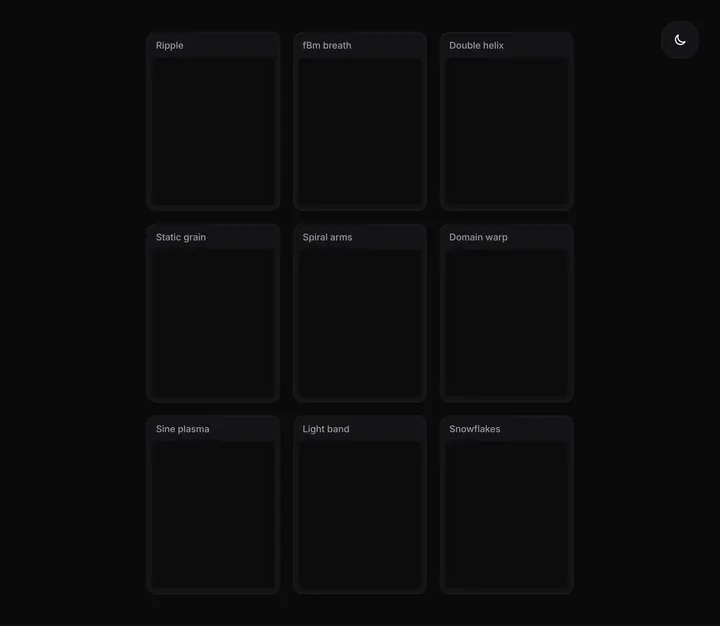
Avant l’arrivée de l’image, le cadre déploie une grille carrée au pas par défaut de 20 px : le rayon et l’opacité de chaque point sont calculés en temps réel depuis son centre par une fonction, tandis qu’un doux vignettage assombrit le pourtour. En mode sombre, les points allumés s’entourent d’un halo délicat et le bord du cadre s’anime de deux couches de lueur respirante, interne et externe, qui tournent en sens opposé. Les 9 motifs d’attente se répartissent en trois familles :
- Famille bruit : fBm breath superpose quatre octaves de bruit fractal en lents mouvements nuageux d’ombre et de lumière, servant aussi de base aux autres motifs ; Domain warp pousse un champ de bruit à l’aide d’un second bruit tout en dérivant dans une direction, évoquant une fumée en mouvement.
- Famille géométrique : Ripple propage des ondes concentriques depuis le centre, Spiral arms fait tourner trois bras spiraux, Sine plasma combine l’interférence de quatre ondes sinusoïdales, Light band balaie le cadre en diagonale d’un ruban lumineux toutes les 3,3 secondes, Double helix déploie une double hélice en rotation à travers le cadre avec ses liaisons transversales, et Snowflakes fait tournoyer et tomber lentement des flocons hexagonaux ramifiés accompagnés d’une neige fine d’un point (chaque branche couvre au moins 4 pas de grille pour rester lisible même dans un petit cadre). Tous les motifs géométriques intègrent un léger bruit de fond afin de préserver de subtiles nuances d’un point à l’autre, au plus près d’un état « en cours de génération ».
- Famille aléatoire : Static grain interpole en douceur chaque point d’une luminosité aléatoire à la suivante selon sa propre phase (environ 2,5 fois par seconde), retrouvant le grain neigeux d’un téléviseur cathodique sans clignotement brutal.
L’apparition : 9 transitions
Chaque matrice d’attente possède sa transition d’apparition attitrée, mais n’importe quel motif se combine librement avec n’importe quelle transition — Halftone, Dissolve, Denoise et Cells étant les plus polyvalentes :
| Transition | Motif par défaut | Mode de révélation |
|---|---|---|
| Fisheye (œil-de-poisson) | Ripple | Un disque s’élargit depuis le centre ; l’image bombée à l’intérieur s’aplanit à mesure qu’il grandit |
| Halftone (trame élargie) | fBm breath | Les points prennent d’abord la couleur moyenne locale et gonflent jusqu’à se rejoindre, puis l’image floue fait le point en seconde moitié |
| Unzip (ouverture centrale) | Double helix | S’ouvre en vagues vers le haut et le bas depuis la médiane horizontale, les bords ondulant avec l’hélice avant de se redresser |
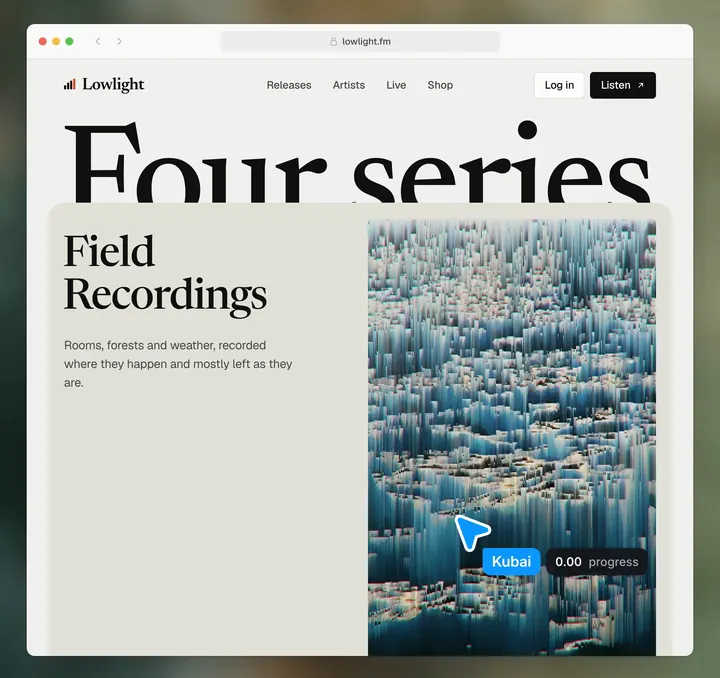
| Denoise (débruitage) | Static grain | Une image très floue couverte d’un grain dynamique rafraîchi 24 fois par seconde s’éclaircit peu à peu, telle une diffusion inversée |
| Spiral (balayage spiral) | Spiral arms | Un bras spiral unique tourne depuis le centre du cadre pour dévoiler l’image sur son passage |
| Dissolve (dissolution) | Domain warp | Révèle l’image en douceur, plage par plage, selon une texture de bruit lisse, avec des contours fondus |
| Interference (interférence) | Sine plasma | Utilise le champ d’interférence mouvant de quatre ondes sinusoïdales comme seuil d’apparition |
| Stream (balayage progressif) | Light band | Descend ligne par ligne du haut vers le bas, précédé d’une frange de blocs progressifs de 2 px à 16 px au-dessus du front |
| Cells (éclosion cellulaire) | Snowflakes | Découpe le cadre en cellules de Voronoi qui éclosent en cercles depuis leur centre à des instants aléatoires sur la première moitié |
Lors de l’apparition, Halftone, Denoise et Cells propagent en outre une onde de choc depuis le centre : l’anneau étire légèrement l’image sur son bord externe, la comprime à l’intérieur et dépose un discret halo doux à quatre couleurs uniquement sur les zones déjà révélées, sans jamais éclairer la matrice de points restante.
Détails communs à toutes les apparitions
- Zoom léger et mise au point progressive : la transition dure 1,4 seconde par défaut sur une courbe vive au départ puis longuement amortie. L’image entre agrandie de 10 % avec un léger flou avant de retrouver sa taille réelle et toute sa netteté (Halftone et Denoise gèrent déjà leur propre netteté sans flou surajouté), tandis que le cadre lui-même reste immobile.
- Réfraction de verre sur les bords : la bande intérieure de 26 px agit comme le biseau d’une plaque de verre en échantillonnant l’image légèrement vers l’intérieur (jusqu’à 12 px au bord même, par défaut) ; les 20 px situés juste derrière le front d’apparition ondulent eux aussi d’une légère réfraction qui s’apaise en fin de course.
- Dispersion liée à la déformation : uniquement là où la réfraction déplace l’image, l’écart d’échantillonnage des canaux rouge et bleu varie de ±30 % ; les zones planes et immobiles ne subissent aucune séparation chromatique, et le front d’apparition ne garde qu’un fin filet blanc sans jamais tracer de contour coloré artificiel.
- Décodage et garde-fous temporels : ne lancez la transition qu’une fois l’image décodée (
image.decode()) ; dans la lignée de 017 États d’attente, une image prête en moins de 300 ms ignore la matrice de points pour apparaître en fondu direct sans flash parasite ; pour plusieurs images générées côte à côte (comme une grille 3×3), échelonnez les départs avec des délais irréguliers ; en cas d’échec, figez les points, indiquez la cause et proposez de réessayer.
Performances et réglages
La luminosité de chaque point est d’abord calculée dans une minuscule texture « un point, un pixel » que le rendu pleine taille se contente de lire, évitant d’évaluer le bruit sur chaque pixel de l’écran ; le masque de dissolution statique est lui aussi généré une seule fois à demi-résolution lors de l’initialisation puis réutilisé. Le canevas ne couvre que le cadre de l’image, plafonne la densité de pixels à 2× et suspend le dessin hors du viewport ; une fois l’image stabilisée, la boucle s’arrête dès la dernière trame rendue pour tomber à zéro charge GPU au repos. Lorsque « Réduire les animations » est activé sur le système, il est conseillé de couper respiration, zoom, réfraction, dispersion et onde de choc au profit d’une grille fixe et d’un fondu de 200 ms.
Vitesse de respiration, durée d’apparition, pas de grille, taille des points, échelle du bruit, zoom, flou, dispersion, réfraction des bords et halo en mode sombre sont tous exposés sous forme de curseurs ; chaque motif conserve ses propres valeurs par défaut, qu’un double-clic sur une ligne ou un clic sur Réinitialiser suffit à rétablir.
Confier l’implémentation à l’IA
Le Prompt ci-dessous commence par analyser le flux de génération d’images et la pile de rendu existants de votre projet, puis valide avec vous point par point le périmètre d’application, le couple motif/transition retenu et la visibilité du panneau de réglages ; après confirmation, il implémente l’ensemble selon les capacités de votre plateforme avec un repli sans GPU, sans modifier la mise en page, la palette ni les textes existants du produit.
Build the wait and the arrival for generated images in my product. While an image is being made, its box shows a grid of dots that breathe in one of nine loading patterns, under a status line with a moving sheen. When the image is ready it comes in through the dots in one of nine reveals, enlarged and soft at first and settling sharp, its edges bending like glass, with a colour split where the picture bends; three of the reveals also send a shockwave across it. Any pattern can be paired with any reveal. A settings panel shows the key numbers as sliders, set to the defaults below, so they can be tuned live.

Every value here comes from a working demo and is a default, not a requirement. Build it with these values first, then let me tune them with the panel (section 9).

Before building, look at my project (section 0) and ask me these, one at a time, with the recommended answer marked:
1. Where it goes: every place a generated image appears (recommended; list them), or the ones I name.
2. Which pattern and reveal: one pair everywhere (recommended: fBm breath with Halftone grow, or let me pick from section 3 and 5), a pair per place, or a different pair for each new image.
3. The settings panel: only in development (recommended), behind a toggle, or for everyone.
Then sum up my answers, say how you will build it on my platform (section 10), and wait for my go-ahead.

0. Start from what exists
- Find how images are generated and shown: where a request starts, where the result arrives (URL, blob, base64 or stream), whether progress or a partial image is reported, and the component that draws the image box.
- Find how the project draws (DOM, canvas, WebGL, a native view tree), its framework and versions, its slider components, its dark mode and its reduced-motion setting.
- Tell me in a few lines what you found before asking.

1. Timing
- The pass: the dots fade in over 500ms; the status line reads "Making the first draft…", then "Refining the details…" after 1.3s, and "Done" once the image is decoded and starts to come in. Use my product's own wording and language if it has some.
- The reveal starts when the image is decoded (await image.decode() or its equivalent), never on the network response alone. It runs 1400ms with cubic-bezier(0.16, 1, 0.3, 1): fast in, a long settle. Call its progress R, 0 to 1, eased.
- If the image is ready within 300ms of the request, skip the dots and just fade it in, or the loading state flashes. If the request fails, stop the dots where they are, say what happened and offer a retry.
- Several images at once (a batch or a grid): each comes in after its own delay, picked unevenly, for example 0, 560, 220, 820, 380, 1040, 120, 700, 300ms across a 3 x 3 grid, so they arrive at uneven moments rather than together or as a sweep.

2. The box and the dots
- The image box has the image's own proportions and rounded corners (14px in a 600 x 772 card, the card 28px, concentric). Above it sits the status line, 20px type, in a dim ink; a 96px window of full ink, soft at both ends, crosses the text every 1.7s. Move the window and a copy of the text inside it in opposite directions as transforms, so the text never repaints.
- Dots on a square grid, pitch 20px, centred in the box. Each dot's value v (0 to 1) comes from its loading pattern (section 3), worked out once per dot, not per pixel. The dot's radius goes from 0.55px to 15% of the pitch with v, its opacity from 0.1 to 1. A vignette dims the dots near the box's edge: 0.45 + 0.55 * smoothstep(8, 72, distance to the edge).
- Dot glow (dark theme only): a soft halo round each lit dot, a Gaussian of sigma 0.3 * pitch, strength v^2, summed over the dot's own cell and its eight neighbours so halos cross cells without a seam.
- Edge glow while loading (dark theme only), in two layers set apart so they never swell together. Outer: a wide haze (exp(-d / 12)) and a thin line on the rim (exp(-d / 2.5)), d the distance in from the box's edge, breathing every 2.4s, with two brighter arcs turning clockwise once in 8s. Inner: a soft band about 6px in (a Gaussian 3.5px wide) plus a faint wide haze, breathing every 3.7s from the opposite point of its swell, with three arcs turning anticlockwise once in 11s. Both fade out over the first third of the reveal.
- Light theme: dark dots on a pale box, no glows, a softer rim on the reveals.

3. The nine loading patterns
All take p, the dot's centre in px, and t, the breathing clock in seconds (scaled by the Breathing slider, so changing speed never jumps). n is value noise in fBm: four octaves, each at twice the frequency and half the amplitude, read at p / scale (scale 180px) and t * 0.32.
- Ripple: rings from the centre, w = 0.5 + 0.5 * sin(r * 5.2 * PI / 2 - 2.6t), r = |p - centre| / scale; v = smoothstep(0.15, 0.85, mix(n, w, 0.6) * (0.55 + 0.6n)).
- fBm breath: v = smoothstep(0.28, 0.74, n). The base the others build on.
- Double helix: two strands lying across the box and turning, y = ±72 * sin(x / 44 - 1.8t) (in units of the box's height / 306), each a Gaussian 10 wide, the nearer one brighter (by cos of the phase), with base pairs on every second column between them.
- Static grain: each dot eases from one random level to the next about 2.5 times a second, on its own offset, mixed 42% over n. Ease between levels (smoothstep), or it blinks.
- Spiral arms: three arms, s = 0.5 + 0.5 * sin(3θ + 5.5r - 2.2t); v = smoothstep(0.12, 0.85, mix(n, s, 0.55) * (0.6 + 0.5n)).
- Domain warp: the noise read at a point pushed far by more noise, the whole drifting one way so it streams like smoke: drift = (0.22t, -0.1t); w = (fbm(q * 1.1 + drift), fbm(q * 1.1 + drift + 5.2)); v = smoothstep(0.34, 0.7, fbm(q + 4(w - 0.5) + 1.6 drift)).
- Sine plasma: four sines summed, sin(2.6x + 0.9t) + sin(3.1y - 1.1t) + sin(2.2(x + y) + 0.7t) + sin(4.4r - 1.5t), x, y in noise cells; v = smoothstep(0.2, 0.8, mix(0.5 + 0.125 * sum, n, 0.35)).
- Light band: a Gaussian band, 0.15 wide, sweeping diagonally across every 3.3s over half-strength noise.
- Snowflakes: six-armed flakes, each arm with a branch at half its length, one to a square of side z = max(0.27 * box height, 11 * pitch), placed at random in it, with an arm 0.37 to 0.5 z long, turning slowly as they fall (18px/s) with a little sway; behind them single-dot snow, one grain to a square of 0.4z, falling twice as fast at 35 to 60% brightness; noise at 12% beneath. Fold the angle into one twelfth of a turn so one arm and its branch, drawn once, make all six. Keep a flake's arm at least four dots long, or it reads as a blob.

4. How every image comes in
These apply to all nine reveals.
- Zoom in: the picture is read about the box's centre at 1 + 0.10 * (1 - R), so it arrives 10% enlarged and settles to its own size. The box itself never scales.
- Blur in: read the picture 3 mip levels softer at the start, easing to sharp: bias = 3 * (1 - R)^0.8. Halftone and Denoise blur on their own; skip it there.
- Edge bend: the box's rounded edge acts like the bevel of a glass slab. In the last 26px, read the picture from further in by bend * 2 * (1 - R)^0.7 * (1 - d / 26)^2 px (bend 6), so it stretches toward the edge; the edge itself stays put. Along a reveal's own front, the 20px just inside it bend the same way, by bend * exp(-(d / 14)^2), with a slow noise wobble of ±67% along the front, fading out as R passes 0.85.
- Dispersion: wherever the picture is read from a moved place, read red from 30% further along the move and blue from 30% less. Colour then splits only where the picture bends, never where it holds still. Do not draw a coloured outline on the edge; the split belongs to the picture.
- A thin white line rides each front (strength 0.55 on dark, 0.22 on light), fading as R passes 0.85.

5. The nine reveals
Each opens the picture over the dots by a mask a; R is the eased progress.
- Fisheye lens: a circle grows from the centre to cover the box (front = 1.3R - 0.1 of the half-diagonal). Inside, the picture bulges like a fisheye (read at centre + d * (1 - k + k * u^2), u = distance / front, k = 0.5(1 - R)), a damped wave runs behind the edge, and red and blue split toward the rim; all of it relaxes to flat.
- Halftone grow: each dot takes the picture's colour averaged over its cell and swells to half the pitch, until the circles touch; then the picture focuses in from 4.5 mip levels soft over the second half.
- Unzip: opens from the middle outward, |y| < R * (half height + 30px) + 22 * sin(x / 44 - 1.8t) * (1 - R) (the wave in the helix's units, box height / 306), so its edges wave with the strands until they settle straight.
- Denoise: the picture from 6 mip levels soft to sharp, (1 - R)^1.4, under 1.5px grain of ±45% * (1 - R)^2 that refreshes 24 times a second: diffusion run backwards.
- Spiral wipe: one arm sweeps out from the centre: key = 0.72 * r / half-diagonal + 0.28 * angle / 2PI; open where key < 1.12R - 0.06.
- Noise dissolve: a smooth two-octave noise map, drawn once at half size; open where it is below 1.3R - 0.15, with a soft edge of ±0.03.
- Interference wipe: the same four-sine sum as Sine plasma as a threshold map, still moving; open where it is below 1.25R - 0.1.
- Top-down stream: rows arrive from the top (front at 1.22R - 0.06 of the height); the band of 16% just above the front is still coarse, in blocks of 2px where it meets the finished rows growing to 16px at the front, the way a streamed image fills in.
- Cell bloom: Voronoi cells about a fifth of the box's height; each starts at a random moment in the first 55% of R and opens as a circle growing from its seed.

Shockwave (on Halftone grow, Denoise and Cell bloom): as the image comes in, a ring runs out from the centre to 1.25 x the half-diagonal, 0.12 x the half-diagonal wide. With x = (distance - ring radius) / width and z = 0.75x, the picture is pushed outward by bend * 1.6 * 2.33 * z * exp(-z^2) * A (it stretches beyond the ring and squeezes behind it), with the same dispersion, and A = smoothstep(0, 0.08, R) * (1 - smoothstep(0.55, 1, R)). A faint glow rides the ring in four colours blending softly, inside to out #508CFF, #A06EFF, #FF6EB4, #FFBE8C, strength A * exp(-0.5x^2) * 0.16 on dark (screen: added light) and 0.12 on light (a tint), only on the part of the image already in, never on the dots.

6. Pairing patterns and reveals
- Each pattern has a reveal it suits: Ripple with Fisheye lens, fBm breath with Halftone grow, Double helix with Unzip, Static grain with Denoise, Spiral arms with Spiral wipe, Domain warp with Noise dissolve, Sine plasma with Interference wipe, Light band with Top-down stream, Snowflakes with Cell bloom. Any pattern still works with any reveal; Halftone, Dissolve, Denoise and Cell bloom are the most general.
- If my product shows a gallery of the options (a picker or a settings page), show the patterns as tabs and the reveals in a row beneath, each wired to its pattern by a faint S-curve. As an image comes in, a bright run draws down its wire from the pattern to the reveal, with a dot at its head, and the reveal's name lights up with it (brightness p^2).

7. Theme
- Dark: page #0b0b0c, card #161618, box #0e0e0f, dots #f2f2f2. Light: page #f7f7f7, card #ffffff, box #f4f4f4, dots #1c1c1c. Use my product's own colours if it has them; keep the dots neutral.
- The theme crossfades over 480ms; the dots, box and glows follow it.

8. Keep it cheap
- Work the pattern out once per dot into a small texture (one texel per dot), then draw the box at full size and only read it back. Never evaluate noise per pixel.
- Masks that never change (the dissolve map) are drawn once at start, at half size.
- Once an image is fully in and not fading, draw it once and stop; such a frame does no GPU work.
- The canvas covers only the image boxes, at no more than 2x pixel density. Nothing draws while the box is off screen.
- Reduced motion: no breathing (a still pattern), no zoom, bend, dispersion or shockwave; the image fades in over 200ms.

9. The settings panel
- One row per number: its name, a slider and its value with the unit. Moving a slider updates the picture at once. Each pattern keeps its own values (the tab on show sets the panel); double-clicking a row puts it back to the pattern's default, and a Reset button, shown only once something has moved, puts the whole pattern back.
- Rows and defaults: Breathing 100% (0–300), Reveal time 1400ms (400–3000), Dot pitch 20px (12–36), Dot size 15% (5–30), Noise scale 180px (80–360), Zoom in 10% (0–30), Blur in 50% (0–100), Dispersion 30% (0–100), Edge bend 6px (0–20), Edge glow 30% (0–100, dark only), Dot glow 40% (0–100, dark only), and the theme (Auto, Dark, Light).
- Per-pattern defaults on top of those: fBm breath reveal 1600, zoom 8, blur 30, bend 8; Domain warp scale 220, breathing 120, reveal 1600, blur 70; Snowflakes pitch 15, dot 14, reveal 1800, dispersion 35, bend 8; Ripple breathing 90, reveal 1600, zoom 6, dispersion 35; Light band breathing 110, reveal 1300, zoom 8, bend 8; Sine plasma scale 200, reveal 1600; Double helix pitch 18, breathing 110, dispersion 25; Static grain pitch 16, dot 13, reveal 1800, zoom 12, blur 30, dispersion 25, bend 8; Spiral arms breathing 120, reveal 1500, dispersion 35.
- Use my slider component if I have one; otherwise a plain range input with a filled track, an upright handle and a number box beside it.

10. How to build it, by platform
These are suggestions; check them against my stack and versions.
- Web (as in the demo): one WebGL 2 canvas over the image boxes. Pass 1 draws the pattern into a texture of one texel per dot; pass 2 draws each box with its viewport set to the box, reading that texture, the picture (with mipmaps, for the blur and the halftone colours) and the masks. One requestAnimationFrame loop for every box on the page. Keep the status line in the DOM.
- iOS: Metal (MTKView) with the same two passes, or SwiftUI on iOS 17+: a colorEffect for the dots and a layerEffect for the reveal, bend and dispersion.
- Android: on API 33+, AGSL RuntimeShader in Compose (graphicsLayer with RenderEffect); otherwise OpenGL ES 3.
- Flutter: FragmentProgram shaders, the dot texture drawn with a CustomPainter. React Native: react-native-skia RuntimeEffect.
- Without a GPU path: draw the dots on a 2D canvas (one arc per dot), and reveal the image with CSS: a mask-image for the shape, transform: scale for the zoom and filter: blur for the softness; leave out the bend, dispersion and shockwave.

11. Check
- Each pattern reads as itself on a small box as well as a large one (the snowflakes as six-armed flakes, the helix as two strands).
- The image starts to come in only once decoded; a fast image skips the dots; a failure stops them and says why.
- On arrival the picture is enlarged and soft and settles sharp; its edges bend and split colour only where they move; the white front line is plain, never coloured.
- The shockwave's glow stays faint and never lights the dots.
- Every slider changes the picture at once; each pattern keeps its own values; Reset restores them.
- 60 fps on a mid-range phone with several boxes loading; no GPU work once the images are in; light and dark, reduced motion and keyboard use of the panel all checked.